
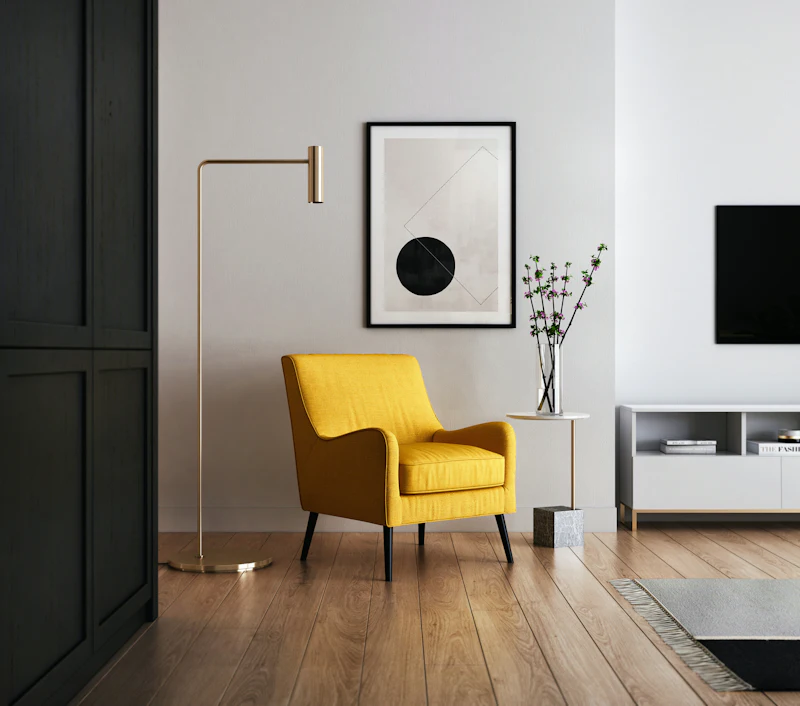
Interior design is one of the areas where AI has made the biggest difference for everyday users. Instead of imagining how a room could look, you can see it — in different styles, colours and furniture — before you buy or build anything. Here is how it works, what it is good for, and how to get the best results.
How AI is changing interior design
- See a room before and after, starting from a photo of the existing space.
- Try several styles — modern, Scandinavian, industrial, Japandi — in minutes.
- Change wall colours, flooring and furniture without moving anything.
- Explain your ideas to a designer, contractor or family with a clear picture.
Spaces you can design
- Living room — seating, TV wall, dining area, shelving and lighting.
- Kitchen — cabinets, worktops, island, splashback and lighting.
- Bedroom — bed wall, wardrobes, textiles and soft lighting.
- Bathroom — tiles, vanity, shower or bath, mirrors and lighting.
- Home office — desk, storage and a calm background for video calls.
- Children's rooms — flexible furniture that grows with the child.
Popular styles compared
| Style | Main features | Suits |
|---|---|---|
| Modern | Clean lines, neutral colours, few decorations | Open plans, bright rooms |
| Scandinavian | Light wood, white walls, soft textiles | Small spaces, family homes |
| Industrial | Concrete, metal, brick, dark frames | Lofts, high ceilings |
| Japandi | Natural materials, calm, minimal, warm tones | Bedrooms, living rooms |
| Rustic / farmhouse | Wood, stone, warm colours | Country houses, kitchens |
How to get good results
- Take a good photo Shoot in daylight, from a corner of the room, with the camera level. Remove clutter so the AI sees the space clearly.
- Choose a clear style Pick one main style instead of mixing many — the result will look more coherent.
- Generate several options Create a few variations and compare them side by side.
- Check the details Make sure windows, doors and the room shape stay as in reality before you use the image to buy anything.
- Turn it into a plan Use the chosen image as a reference with your designer, carpenter or supplier.
What AI can't do for you
AI images do not measure your room or check that furniture fits. Before ordering, measure the space, check door openings and walkways, and confirm sizes with suppliers. For electrical, plumbing or structural changes, use qualified professionals.
Choosing colours and materials with AI
Use the images to test combinations you are unsure about: a dark kitchen with light floors, a green wall in the bedroom, wood and concrete together. Look at each option in both daylight and evening light, and compare them side by side before choosing samples to see in person.
Small spaces
- Light colours and one continuous floor make rooms feel larger.
- Built-in storage keeps surfaces clear.
- Mirrors and glass partitions spread daylight.
- Multi-purpose furniture saves space: a bed with drawers, an extendable table.
Working with professionals
AI images are an excellent starting point for a conversation with an interior designer, carpenter or contractor. Bring two or three images you like and explain what you like in each. The professional can then turn the idea into measured drawings, a material list and a realistic budget.
Redesign your room Upload a photo of your room and see it in a new style in minutes.