

AI room design from a photo works best for three jobs: furnishing an empty room (virtual staging), restyling a furnished room while keeping chosen pieces, and testing one change such as paint, flooring or cabinet fronts. Upload a level daylight photo, say what must stay, and treat the result as a visual, not a measured plan.
Key takeaways
- Houzz's 2026 survey found 58% of homeowners who use AI for renovation use it to visualize design concepts.
- Physical staging has a median cost of $1,500 when done by professionals, according to NAR's 2025 staging report; an AI makeover of one room typically costs a few dollars in credits.
- Say what must stay: rooms restyled without a 'keep' list lose windows, radiators and the sofa you just bought.
- Check layouts against real clearances, such as NKBA's 36-inch minimum walkway and 42-inch work aisle for one cook.
- In California, agents must now disclose AI-altered listing photos and link to the originals under AB 723 (2025).
What can AI room design from a photo actually do?
It does three jobs well: furnish an empty room, restyle a furnished one, and test a single change. It can't measure your room, check whether a sofa fits, or tell you what a paint color will look like at 6 pm in November.
Homeowners already use it for the first part. In Houzz's 2026 AI survey of 3,149 renovating US homeowners, 22% used AI, and of those 58% used it to visualize design concepts and 50% to compare layouts or products. Our AI interior design guide covers the general method; this one is about setting up each job so the result is usable.
| Job | Best input photo | Key setting | Typical credits |
|---|---|---|---|
| Virtual staging | Empty room, corner view, daylight | Room type plus a style and furniture list | 2 per variation |
| Restyle, keep some pieces | Tidy furnished room | Preserve Existing Structure and a 'keep' list | 2 per variation |
| One change (paint, floor, fronts) | A render or photo you like | Edit an area or material swap | 4 per edit |
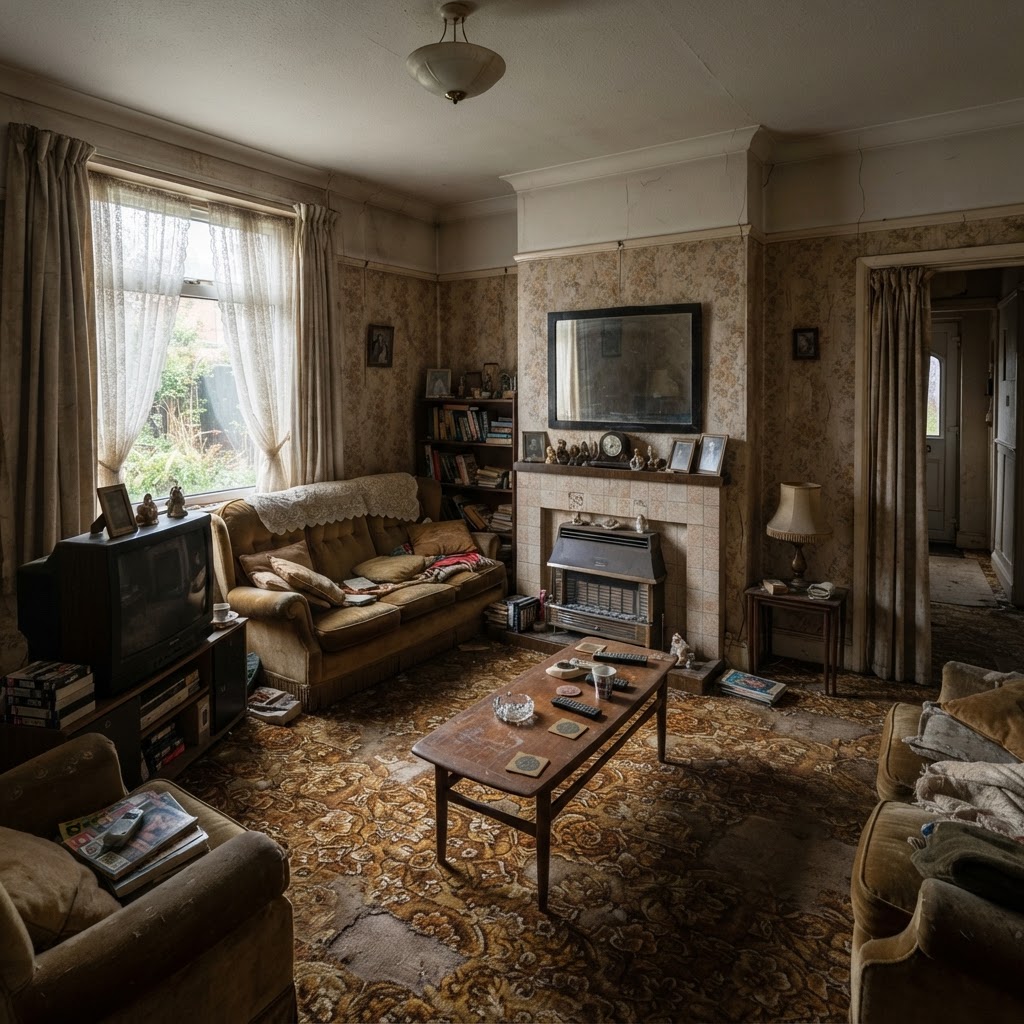
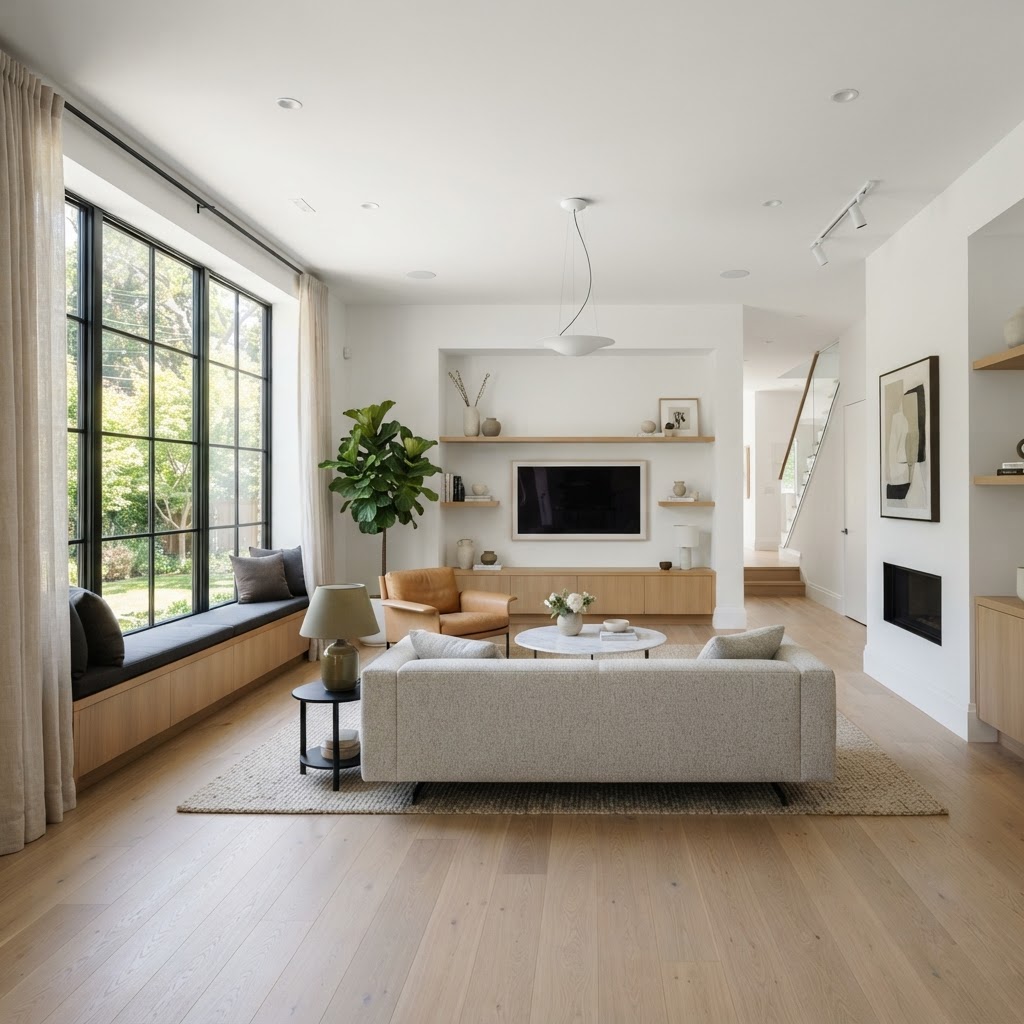
Virtual staging an empty room with AI
Virtual staging means adding furniture and decor to a photo of an empty room. It's the most forgiving job because nothing in the picture has to be preserved except the architecture, but scale is the trap: the model guesses room size from perspective and often over-furnishes.

Give it scale cues. Keep a door, window or radiator in frame, and state the room's size in the prompt: "bedroom about 3.2 by 3.6 m, double bed 160 cm, one bedside table each side". In the AI Studio choose the interior project type and the room type, which runs from living room and bedroom to kitchen, dining area, bathroom, office, kids' room and balcony.
Stage the rooms buyers care about first. NAR's 2025 Profile of Home Staging found the living room (91%), primary bedroom (83%) and dining room (69%) are the most commonly staged, and 83% of buyers' agents said staging made it easier for buyers to visualize the property. Professional physical staging had a median cost of $1,500.
Restyling a furnished room while keeping what you own
Most people don't want a whole new room; they want a new look around the sofa they already paid for. The fix is a 'keep' list in the prompt plus a setting that protects walls and openings.
Turn on Preserve Existing Structure so the model changes finishes and colors but leaves walls, windows and ceiling alone. Then name what stays and what goes: "Keep the grey sectional, the oak floor and the window. Replace the coffee table with a round travertine one, add a wool rug in rust, sage linen curtains, warm evening lamp light." Tidy first. A charging cable on the floor can come back as a snake-like sculpture.
Style and finish chips help when you're unsure what to write. The Studio offers modern, minimalist, Scandinavian, industrial, bohemian, classic, Mediterranean, rustic chic, luxury and oriental styles, and finishes such as oak, parquet, marble, exposed concrete, linen, velvet, black metal and frosted glass. Pick one style, not three.
Changing one thing: paint, flooring or cabinet fronts
For a single change, don't regenerate the whole room. Paint over the part you want to change and describe the new finish; everything else stays as it was, so you can compare like with like.

In the Studio's edit tool, brush over the cabinet fronts and type "matt sage green flat-panel doors, brushed brass handles". Only the painted area changes, and the result is saved as a new version for 4 credits. The one-click material swap does the same for floors (oak, marble or concrete), also at 4 credits. Quick edits change the light, such as morning daylight or evening with lamps on, which matters more for paint decisions than people expect.
Try a makeover on your own room Upload one photo, choose the room type and what to keep, and compare several styles side by side. New accounts get 5 free credits, no card needed. Redesign my room, 5 free credits
Room-by-room recipes for AI room makeovers
Each room has fixed elements the AI must respect and a reality check you should run before you believe the render. Plumbing, windows and doors cost real money to move; furniture doesn't.
| Room | Keep fixed in the prompt | Reality check after the render |
|---|---|---|
| Living room | Windows, doors, radiator, fireplace | Walkways of at least 36 in (91 cm) through the room |
| Kitchen | Sink, cooktop and window positions | Work aisle 42 in (107 cm) for one cook, 48 in (122 cm) for two |
| Dining area | Windows and openings | 32 in (81 cm) behind chairs with no traffic, 44 in (112 cm) to walk past |
| Bedroom | Door, window, wardrobe wall | Real bed size and space to open wardrobe doors |
| Bathroom | Toilet, shower and basin positions | Drain and supply locations before changing the layout |
| Kids' room | Window and door | Furniture anchored and suited to the child's age |
The kitchen and dining clearances come from the NKBA Kitchen Planning Guidelines, which also recommend a 24-inch landing space on one side of the sink and 18 inches on the other. AI renders routinely ignore all of these, which is why a beautiful island can leave an aisle far narrower than 42 inches. For a full kitchen project, see our kitchen remodel cost guide.
How much does an AI room makeover cost compared with the real thing?
The AI part costs a few dollars; the room itself costs thousands. That gap is the whole argument for testing ideas on screen first, as long as you don't mistake the test for the specification.
- Kitchen (all sizes): $22,000
- Primary bathroom: $13,000
- Guest bathroom: $6,000
- Living room: $4,000
- Primary bedroom: $2,750
- Dining room: $2,100
- Home office: $1,000
Houzz & Home study, 22,000+ US homeowners, 2024 project data (published April 2025).
A typical makeover session, say six standard variations at 2 credits and three edits at 4, uses 24 credits, about $2.64 on the 100-credit pack at $11 (pricing). Against the Houzz & Home figures above, or NAR's $1,500 median for professional staging, that is cheap insurance against choosing the wrong tile or paint.
Common mistakes, and when not to use AI for a room
Most bad results come from the input or from trusting the output too much. A few rooms and decisions are better handled with a tape measure and a professional from the start.

- Shooting with the ultra-wide lens, which bends walls the model then copies.
- Leaving out the 'keep' list, so the window moves and your new sofa disappears.
- Buying furniture from a render: sizes can be off by tens of centimeters without any warning.
- Choosing paint from the screen instead of physical samples on the wall.
- Restyling a kitchen or bathroom without asking whether the plumbing can move.
Skip AI when the question is technical: load-bearing walls, wet-room waterproofing, electrical layouts, accessibility for a wheelchair user. Those need a qualified professional and real drawings. AI is also a poor guide for very small rooms, where every centimeter counts and a render will happily fit furniture that doesn't.
Using AI-staged room photos in a listing: disclosure rules
Label them, and keep the originals next to them. Some jurisdictions now require it: California's AB 723, signed in October 2025, makes agents disclose digitally altered listing images and link to the unaltered versions.
The chaptered text of AB 723 defines an altered image as one changed with photo editing software or AI to add, remove or change elements, explicitly including furniture, flooring, walls, paint color and views through windows. Basic adjustments such as lighting, white balance, cropping and straightening don't count. Even where no law applies, buyers who feel misled walk away, so a small "virtually staged" label is good practice everywhere.
Agents are split on how much virtual staging matters: NAR's 2025 survey found 24% of sellers' agents considered it as important as physical staging and 34% considered it less important. Our view: virtual staging suits empty rooms in online listings; physical staging still wins for viewings.
From one room to the whole floor: plan and 3D
When a room makeover turns into moving walls or rearranging several rooms, a photo isn't enough anymore. You need a plan with real dimensions, and ideally a 3D model you can walk through.
The 2D plan editor lets you draw the floor with walls, doors, windows, furniture and dimensions, or start from an imported plan image. The 3D planner turns a plan into a model for 3 credits, which you can furnish, walk through and export as 360° panoramas, then render photorealistically for 4 credits. That catches the clearance problems a single-photo render hides. Plans made this way are early-design drafts; structural changes still need a licensed professional.
Stage or restyle a room in minutes Upload a photo of your room, pick a style and what to keep, and get several photorealistic options. Failed generations are refunded automatically. Upload a room photo
Frequently asked questions
How do I redesign my room from a photo with AI?
Take a level daylight photo from a corner with at least two walls visible, upload it to an AI room design tool, choose the room type, and describe the style, materials and what must stay. On ArchHomeAI, turn on Preserve Existing Structure to protect walls and windows. Generate several variations, pick one, then refine single areas with edits.
What is AI virtual staging?
AI virtual staging adds furniture and decor to a photo of an empty room, so buyers or you can picture how the space might be used. It's quicker and much cheaper than physical staging, which had a $1,500 median professional cost in NAR's 2025 report. Staged images must be labeled honestly, and in California the originals must be linked.
Can AI change just the wall color or floor in a photo?
Yes. Use an area edit: paint over the walls or floor and describe the new finish, for example "matt warm white walls" or "wide oak planks". Only the painted area changes. On ArchHomeAI each edit costs 4 credits and is saved as a new version. Confirm paint with physical samples, because screen color differs from real paint.
Will the furniture in an AI room design fit my room?
Not necessarily. Image models don't measure; they estimate scale from perspective, and pieces can be off by tens of centimeters. Measure the room, check walkways (NKBA recommends at least 36 inches), and compare product dimensions before buying. For a reliable layout, draw the room in a 2D plan or 3D planner with real dimensions.
Is it legal to use AI-staged photos in a real estate listing?
Generally yes, if you're honest about it, but rules vary. California's AB 723, signed in October 2025, requires agents to state that an image is digitally altered and link to the original. It covers added furniture, flooring, paint and changed views. Elsewhere, check local rules and your MLS, and label virtual staging clearly anyway.
How much does AI room design cost?
On ArchHomeAI, a standard variation costs 2 credits and an edit 4 credits. A session of six variations and three edits uses 24 credits, about $2.64 on the 100-credit pack priced at $11. New accounts get 5 free credits without a card, and failed generations are refunded automatically.
Sources
How we wrote this guide: every figure comes from the sources listed at the end and was checked in September 2026. Prices vary by city, specification and year.
- 12 Key Takeaways on AI in Home Design and Construction — Houzz
- 5 Home Renovation Spending Trends to Know About in 2025 — Houzz
- NAR Report Reveals Home Staging Boosts Sale Prices and Reduces Time on Market — National Association of REALTORS®
- 2025 Profile of Home Staging: Snapshot — National Association of REALTORS®
- Kitchen Planning Guidelines — National Kitchen & Bath Association (hosted by IVO Cabinets)
- California AB 723 (2025): Real estate: digitally altered images: disclosure, chaptered text — California Legislature (via LegiScan)