

AI landscape design turns a photo of your house or yard into realistic renders of new planting, paving, pools, fences and lighting in minutes. It is excellent for comparing ideas before paying for a design plan, which HomeGuide puts at $700 to $3,000. It can't judge your soil, climate, drainage or plant hardiness.
Key takeaways
- A professional landscape design plan costs $700 to $3,000, national average $1,850, according to HomeGuide (December 2025); landscape architects charge $100 to $250 an hour.
- On ArchHomeAI a render variation costs 2 credits and a quick landscaping, season or time-of-day edit costs 4, so ten garden options cost less than a single design consultation.
- US homes use nearly 8 billion gallons of water a day outdoors, and the EPA estimates as much as 50% of it is wasted through overwatering.
- Trees can cut surrounding air temperatures by as much as 6°F, and a 6 to 8 ft deciduous tree shades windows in its first year (US Department of Energy).
- In England, paving more than 5 m² of a front garden needs a permeable surface or planning permission (rule in force since 1 October 2008).
What is AI landscape design, and what can it show you?
AI landscape design uses image models to redraw the outside of your home from a photo: new lawn or gravel, planting beds, a terrace, a pool, a fence, cladding on the facade, lights at night. You describe what you want and get several photoreal versions in minutes. It shows how options look, not whether they'll grow, drain or pass a permit.
That makes it a decision tool for the early stage. Most people can't picture a 4 m wide terrace with a low stone wall from a sketch, but they react instantly to a render of their own house with it. Use AI to narrow ten ideas to two, then spend money on the two.
- Front of house: facade colour and cladding, driveway material, boundary walls, hedges, entrance path.
- Back garden: lawn versus gravel, terraces and decking, pergolas, pools, outdoor kitchens.
- Planting mood: formal clipped hedges, loose meadow planting, Mediterranean gravel garden, tropical.
- Time and season: the same garden at dusk, in autumn, or in a dry summer.
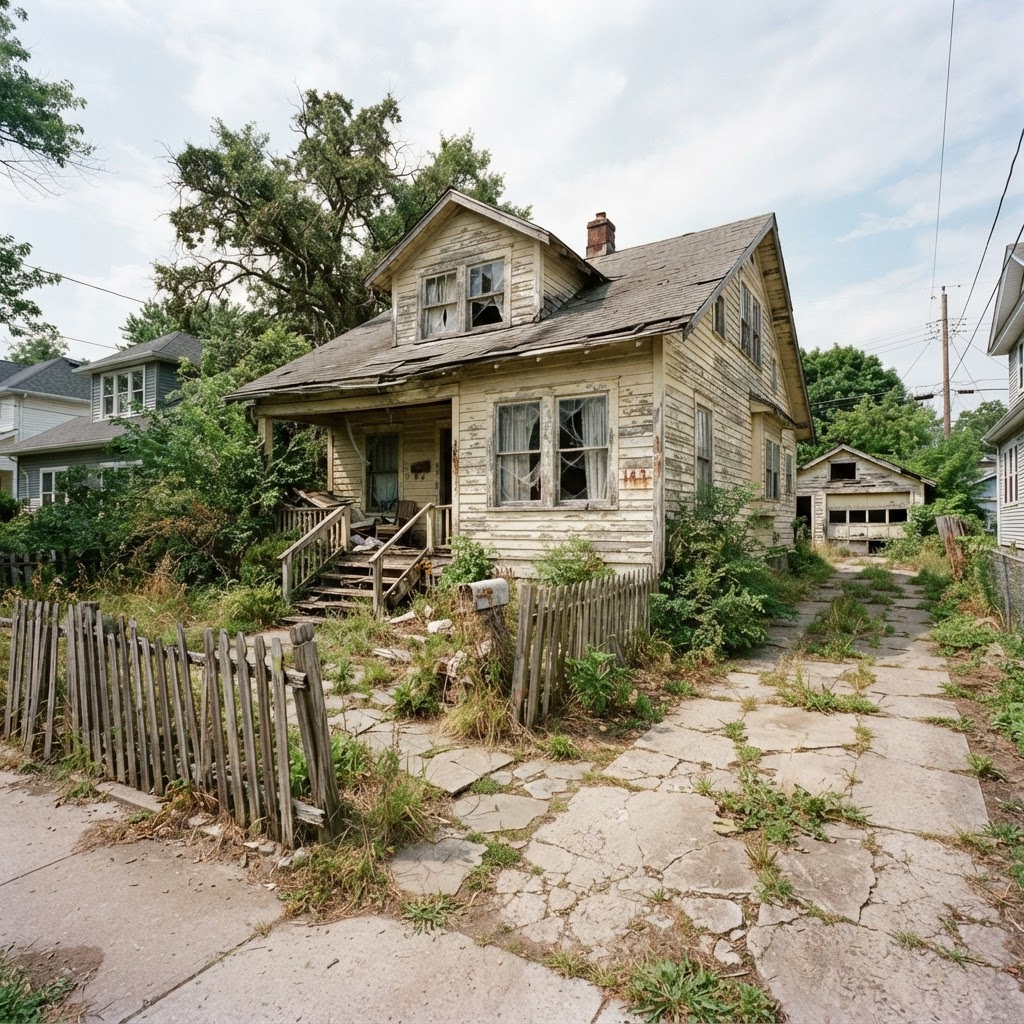
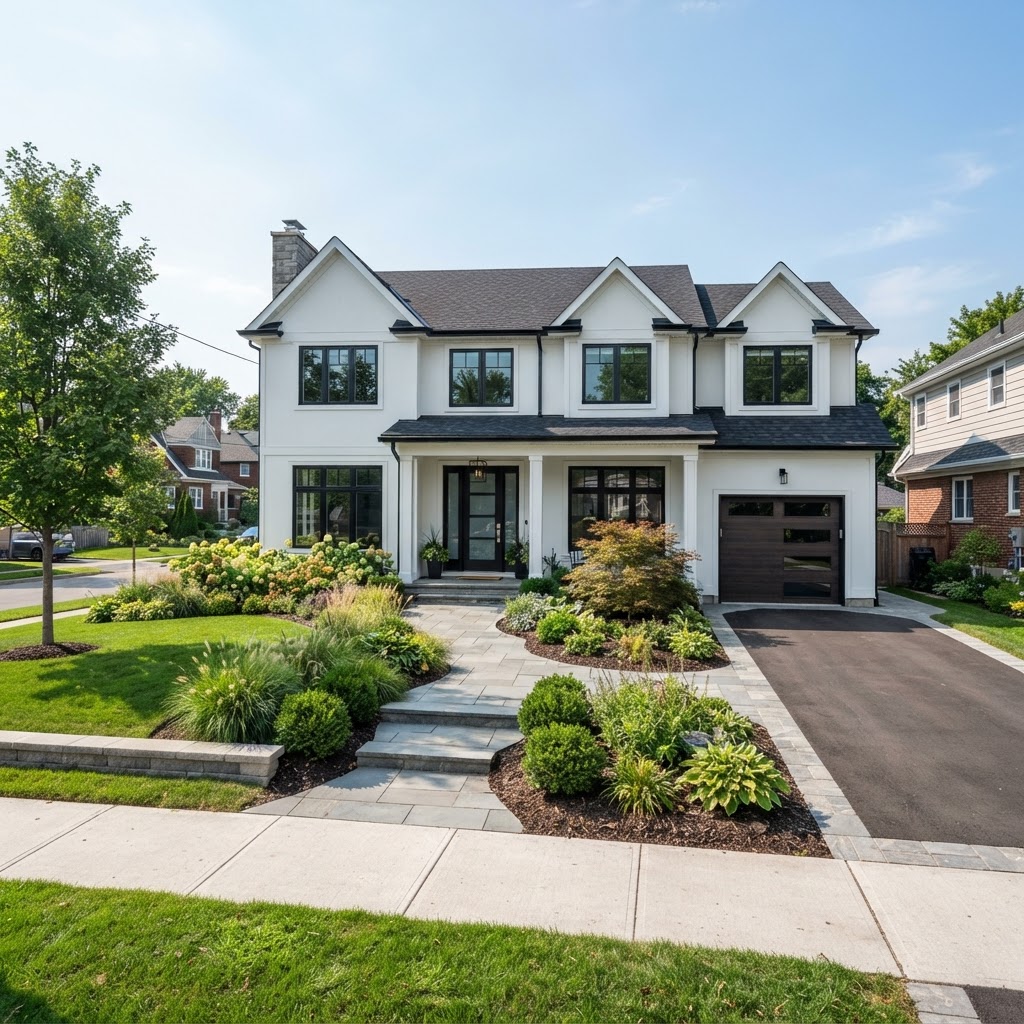
AI landscape design vs a landscape designer: cost and when to hire
AI is far cheaper for exploring ideas, while a designer or landscape architect is worth paying once you know the direction. HomeGuide (updated December 2025) puts a landscape design plan at $700 to $3,000, with a national average of $1,850. Ten AI variations cost a few dollars, so the sensible order is AI first, professional second.
| Option | Typical cost | What you get | Best for |
|---|---|---|---|
| AI renders from a photo | 2 credits per variation on ArchHomeAI (about $0.17–$0.22) | Photoreal options of your own house and yard in minutes | Choosing a style, palette and layout direction |
| Landscape designer | $50–$150 per hour (HomeGuide) | Planting plans, layouts, material choices | Gardens without major grading or structures |
| Landscape architect | $100–$250 per hour (HomeGuide) | Licensed drawings, grading, drainage, retaining walls | Slopes, permits, large or complex sites |
| Full design plan | $700–$3,000, average $1,850 (HomeGuide) | Scaled plan and planting schedule | Projects heading to installation |
- Landscape designer, low: $50
- Landscape designer, high: $150
- Landscape architect, low: $100
- Landscape architect, high: $250
Source: HomeGuide, Landscape Design Cost, updated December 23, 2025. Initial consultations typically $100 to $200.
Hire the professional when the ground itself is the problem. A sloping plot, a retaining wall, water pooling against the house or a pool on clay soil needs someone who can read levels and soil, and in many places a licensed landscape architect or engineer has to sign the drawings. AI renders are a cheap way to brief that person well.
How to design your garden and exterior with AI, step by step
Start from a good photo, describe one change at a time, and save the variations you'd actually build. The workflow below uses ArchHomeAI's tools, but the same order works in any photo-to-render app. A first round of ten variations plus five quick edits uses 40 credits (10 × 2 + 5 × 4).
- Photograph the site properly Shoot the front and back from eye height on an overcast day, straight on, with the whole house and boundary in frame. Harsh midday shadows confuse the model.
- Write the brief in materials, not adjectives "Replace lawn with pale gravel and three olive trees, low clipped box hedge along the path, cedar fence 1.8 m high, warm path lights" beats "make it Mediterranean". The free Enhance prompt button expands a short note into a detailed brief.
- Generate variations In the AI Studio each standard variation costs 2 credits. Run three or four versions of the same brief and see which details the model keeps.
- Edit instead of regenerating Studio Pro quick edits change the time of day, season, sky, people or landscaping, or remove parked cars, for 4 credits each. Area edits and material swaps also cost 4.
- Lay it out to scale Draw the terrace, paths and pool in the 2D plan editor so the render's 4 m terrace really fits. Then walk through it in the 3D planner.
- Share and decide Send the options on a client share page for comments and approval, or take them to your designer as a brief.
See your own garden redesigned Upload a photo of your house and yard, describe the planting, paving or pool you're considering, and compare variations side by side. New accounts get 5 free credits, no card needed. Redesign my garden, 5 free credits
Facades, paving and boundaries: what to test in exterior renders
The front of the house is where AI exterior design pays off fastest, because facade colour, driveway and boundary are seen together and are expensive to get wrong. Test them as a set, not one by one. A charcoal facade, black gravel and a dark fence can each look great alone and gloomy together.
Paving has rules as well as looks. In England, covering more than 5 m² of a front garden with hard surfacing counts as permitted development only if the surface is permeable or drains to a lawn or border; otherwise you need planning permission, a rule in force since 1 October 2008 according to government guidance. Check your own council's rules before rendering a fully paved driveway.
For cost, HomeGuide lists concrete patios at $4 to $12 per square foot and pergolas at $10 to $65 per square foot. A render that adds a 20 m² (about 215 sq ft) terrace with a pergola over half of it is therefore a project of very roughly $860 to $2,580 for the slab plus $1,075 to $6,990 for the pergola, before design fees. Our exterior house colors guide covers facade palettes in more depth.
Pools and outdoor living in AI renders vs real life
AI makes pools look easy, but the real costs and safety rules sit outside the frame. HomeGuide (July 2025) puts an inground pool at $25,000 to $100,000, with a national average of $62,500. Render the pool with its fence, paving and equipment space, not floating alone on a lawn.

- Vinyl: $25k–$65k
- Fiberglass: $45k–$100k
- Concrete / gunite: $50k–$120k
Bar length shows the top of each range. Source: HomeGuide, Inground Pool Cost, updated July 16, 2025.
Safety changes the design. The US Consumer Product Safety Commission's Pool Safely guidance says a fence at least four feet high should surround the pool on all sides, with access only through a self-closing, self-latching gate. Many AI renders leave the fence out because it spoils the picture. Ask for it explicitly, for example "1.2 m frameless glass pool fence with gate", so you judge the version you'd actually build.
AI garden design for your climate: planting, water and shade
An AI model will happily put lavender in a bog and palms in a frost pocket, so planting choices need a reality check against your climate. In the US, start with the 2023 USDA Plant Hardiness Zone Map, which is based on the average annual extreme minimum winter temperature in 10°F zones. Other countries publish similar maps.
- 8 billion gal of water used outdoors by US homes each day (EPA)
- Up to 50% of that water wasted by overwatering (EPA estimate)
- 15,000 gal a year saved by a WaterSense controller, per home (EPA)
- 6°F drop in surrounding air temperature from trees (US DOE)
Water is the biggest long-term cost of a lawn-heavy design. According to the EPA's WaterSense program, residential outdoor use in the US is nearly 8 billion gallons a day, mostly irrigation, and experts estimate up to half is wasted. The EPA also notes that homes with clock-timer irrigation use about 50% more water outdoors than homes without irrigation.

Trees are the other long game. The US Department of Energy says shade and evapotranspiration from trees can cut surrounding air temperatures by as much as 6°F, and a 6 to 8 ft deciduous tree starts shading windows in its first year and the roof in 5 to 10 years. Renders show trees at full size on day one, so ask for a "newly planted" version too.
Outdoor lighting design: render your garden at night
Lighting decides how a garden feels for half the year, so check every design after dark before you buy fittings. A time-of-day edit turns a daylight render into dusk or night for 4 credits on ArchHomeAI. Use it to test where light should fall, not to pick exact fixtures.

Good outdoor lighting follows simple rules. DarkSky International and the Illuminating Engineering Society set out five principles: light only what's needed, aim it where it's needed, keep it no brighter than necessary, control it with timers or sensors, and prefer warmer colours. In a brief, that becomes "low warm path lights, uplight on the olive tree, no floodlights".
Use LEDs for anything wired. The US Department of Energy says ENERGY STAR rated residential LEDs use at least 75% less energy than incandescent bulbs and last up to 25 times longer, which matters for lights that run every evening.
Where AI landscape design goes wrong, and when not to use it
AI landscape design fails when people treat a render as a plan. The model doesn't know your levels, soil, sun path, boundary lines or local rules, and it draws mature plants and perfect lawns. Use it for mood and layout direction, and check everything structural with a professional.
- Wrong scale: a render can squeeze a 10 m pool into a 9 m garden. Measure it in a 2D plan.
- Impossible planting: sun-loving and shade-loving plants side by side, or species that won't survive your winters.
- Missing services: pool pumps, bin stores, drainage channels, meters and air-conditioning units rarely appear.
- Hidden slopes: a render can flatten a slope that will need retaining walls and steps.
- Maintenance blind spot: a clipped hedge maze looks great and needs regular cutting through the growing season.
Our recommendation: spend an evening and a few dollars testing styles with AI, settle on one direction with your household, then pay a designer for a scaled plan. For the house itself, see modern house design and designing your own house online.
Test your garden ideas before you pay a designer Upload a yard or facade photo, try planting, paving, pools and night lighting, and keep the versions worth building. Renders cost 2 credits; quick edits 4. Start my exterior render
Frequently asked questions
Can AI design my landscape from a photo?
Yes. Photo-to-render tools redraw your yard with new planting, paving, terraces, pools, fences or lighting from a single photo and a written description. On ArchHomeAI a variation costs 2 credits and quick edits such as season, time of day or landscaping cost 4. The results are visualizations for choosing a direction; they don't check soil, drainage, hardiness or local rules.
How much does a landscape design plan cost?
According to HomeGuide (updated December 2025), a landscape design plan costs $700 to $3,000, with a national average of $1,850. Landscape designers charge $50 to $150 an hour and landscape architects $100 to $250 an hour, and initial consultations typically run $100 to $200. Large, sloped or permit-bound sites cost more.
Is AI landscape design accurate?
It is accurate enough to compare styles, materials and layouts on your own house, but not to build from. Models can change scale, invent plants that won't survive your climate, flatten slopes and leave out pumps, drains and fences. Measure the layout in a 2D plan and check planting against your hardiness zone before you buy anything.
What is the cheapest way to design a backyard?
Explore options yourself first, then pay for focused professional time. AI renders cost cents per variation, so you can test lawn, gravel, terraces and planting before spending money. A designer at $50 to $150 an hour can then turn your chosen direction into a scaled plan. Low-water planting and fewer hard surfaces usually keep installation and running costs down.
Do I need planning permission to pave my front garden?
In England, covering more than 5 m² of a front garden with hard surfacing needs planning permission unless the surface is permeable or drains to a lawn or border, a rule in force since 1 October 2008. Rules elsewhere differ, so check with your local authority before you commit to a fully paved driveway.
How high should a pool fence be?
The US Consumer Product Safety Commission's Pool Safely guidance says a fence at least four feet high should surround a pool or spa on all sides, should not be climbable for children, and should be entered only through a self-closing, self-latching gate. Local codes may require more, so check yours and include the fence in every pool render.
Sources
How we wrote this guide: every figure comes from the sources listed at the end and was checked in September 2026. Prices vary by city, specification and year.
- Landscape Design Cost — HomeGuide
- Inground Pool Cost — HomeGuide
- WaterSense Labeled Controllers — US EPA
- Sprinkler Spruce-Up — US EPA
- Landscaping for Shade — US Department of Energy
- LED Lighting — US Department of Energy
- USDA Plant Hardiness Zone Map — USDA Agricultural Research Service
- Lighting Basics — DarkSky International
- Permeable surfacing of front gardens: guidance — GOV.UK
- Pool Safely: Safety Tips — US Consumer Product Safety Commission