
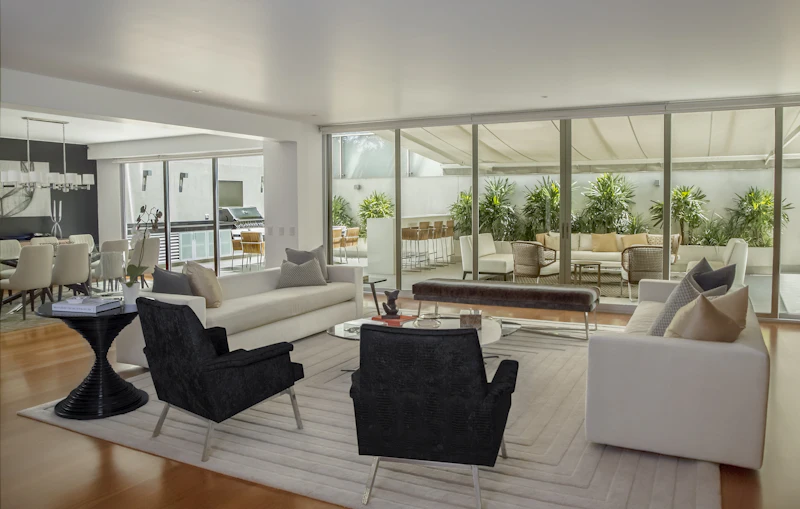
A single photorealistic rendering can take an architect or a visualization studio many hours of work, and sometimes several days. Most of that time is not spent on design decisions but on technical production: modeling, materials, lighting and rendering. This article walks through the traditional workflow step by step, shows where the time goes, and explains where AI tools fit — and where they don't.
The traditional rendering workflow
In most offices a rendering is produced in professional 3D software such as 3ds Max, SketchUp, Revit or Rhino, with a render engine such as V-Ray, Corona, Enscape or Lumion. The typical stages are:
- 3D modeling Building the model of the house: walls, roof, openings, terrain and the main furniture. For a typical private house this often takes several hours, more if the drawings change.
- Materials and textures Assigning realistic materials to every surface — render, wood, stone, glass, metal — and adjusting reflections and roughness.
- Lighting and camera Setting the sun position, sky, artificial lights and the camera angles that show the design at its best.
- Rendering The computer calculates the final image. On a strong workstation this can take minutes to hours per image, depending on resolution and quality.
- Post-production Adjusting colours and contrast, adding people, plants and sky in Photoshop or a similar tool.
- Revisions Every change requested by the client — a different cladding, a moved window — sends the work back to earlier stages.
Where the time really goes
The time is spread across many small technical tasks, and revisions multiply it. A project with three rounds of client changes can easily take longer than the first version. Exact numbers vary widely by office, software, hardware and the level of detail required, so any single figure would be misleading — but in most offices rendering is one of the most time-consuming parts of presenting a design.
- Modeling and remodeling after design changes
- Searching for and adjusting materials
- Waiting for test renders and final renders
- Small corrections in post-production
- Communication rounds with the client
What it costs
The cost has three parts: software licenses, a computer powerful enough to render, and the hours of a skilled person. Offices that outsource renderings pay a visualization studio per image or per package. For small projects and early design stages, these costs often mean that clients see only one or two images, late in the process.
How AI changes the workflow
Generative AI tools can produce a realistic image from a photo, a sketch or a plan in a short time, without building a full 3D model. That changes when renderings are used: instead of one expensive image at the end, the architect can show several directions early, agree on a style with the client, and only then invest in detailed work.
| Stage | Traditional workflow | AI-assisted workflow |
|---|---|---|
| Early concept images | Usually skipped — too slow | Several quick variations from a photo or plan |
| Style and material choices | Each option is a new render | Options generated and compared quickly |
| Exact geometry and dimensions | Precise, from the model | Approximate — needs checking |
| Construction drawings | From CAD/BIM | Not a replacement |
| Final marketing images | High control over every detail | Good for many uses; complex projects may still need 3D |
The limits of AI
- AI may change small details — the number of windows, a roof angle — so results must be checked against the plan.
- It does not produce construction drawings, structural calculations or permit documents.
- For very large or complex projects, a full 3D model still gives the most control.
Who benefits most
Small and medium offices, independent architects and designers, contractors and developers who need images for early decisions or marketing benefit most, because they rarely have an in-house visualization team. Homeowners can also use AI images to explain what they want before meeting a professional.
A realistic AI-assisted workflow, step by step
- Collect the inputs Site photos, a sketch, a floor plan or a simple massing model — whatever the project already has.
- Generate options Create several directions for style, materials and colours, and discard the weak ones quickly.
- Review with the client Show two or three options and agree on a direction before investing in detailed work.
- Check against the plan Compare the chosen image with the drawings: openings, roof, heights and proportions.
- Detail where needed Build the 3D model only for the chosen direction, or refine the AI image if it already serves the purpose.
Questions to ask before changing your workflow
- Which stage of our projects takes the most rendering time today?
- Where do clients most often ask for changes?
- Which images must match exact dimensions, and which are for discussion only?
- Who in the office will own the new tool and the checking step?
Answering these questions usually shows that AI fits best at the start of a project, while existing 3D and CAD tools remain essential for the end. The goal is not to replace skills, but to spend skilled hours on design instead of repetitive production work.
Try it on your own project Upload a photo or plan and see a realistic visualization of your design in minutes.