

AI rendering tools for houses fall into four types: AI render apps that turn a photo, sketch or text into an image; 3D and real-time renderers that add AI features to a model you build; home design and plan tools that render their own scenes; and general image generators. Pick by your input: photo, 3D model or floor plan.
Key takeaways
- At full use of their entry plans, AI render apps cost roughly $0.17 to $0.34 per image (ArchHomeAI, mnml.ai, Chaos Veras; prices checked October 2026).
- Real-time renderers now bundle AI: Enscape Solo ($574.80 a year) includes 100 Chaos AI credits a month, and Lumion Pro ($1,149 a year) includes AI tools.
- 3D renderers need a capable GPU; D5 Render lists an NVIDIA GTX 1060 6GB or better on Windows 10 as its minimum.
- Licence terms differ: Midjourney requires its Pro or Mega plan for companies earning over $1 million a year, while mnml.ai includes a commercial licence on all plans.
What are AI rendering tools, and which type do you need?
AI rendering tools are software that produce realistic images of a building with help from generative AI, either creating the whole image or speeding up parts of a traditional render. For houses, the type you need depends on what you already have: a photo of a plot or house, a 3D model, or a floor plan. Get that match right and most of the choice is made.
- AI render apps: upload a photo, sketch or screenshot, describe the design, get photoreal images in minutes. Examples: ArchHomeAI, Chaos Veras, mnml.ai.
- 3D and real-time renderers with AI features: you build or import a model, then render it; AI helps with materials, atmosphere or upscaling. Examples: Enscape, D5 Render, Lumion, Twinmotion.
- Home design and plan tools that render: you draw the plan and furnish it, the tool renders its own scene. Examples: RoomSketcher, SketchUp Studio with V-Ray.
- General image generators: text or image prompts to pictures, not built around architecture. Example: Midjourney.
Most house projects use two of these. A typical pairing is an AI render app for quick options and a plan or 3D tool for the version whose dimensions matter. If you want the bigger picture on hiring renderers and licence costs, our guide to architectural rendering covers that side.
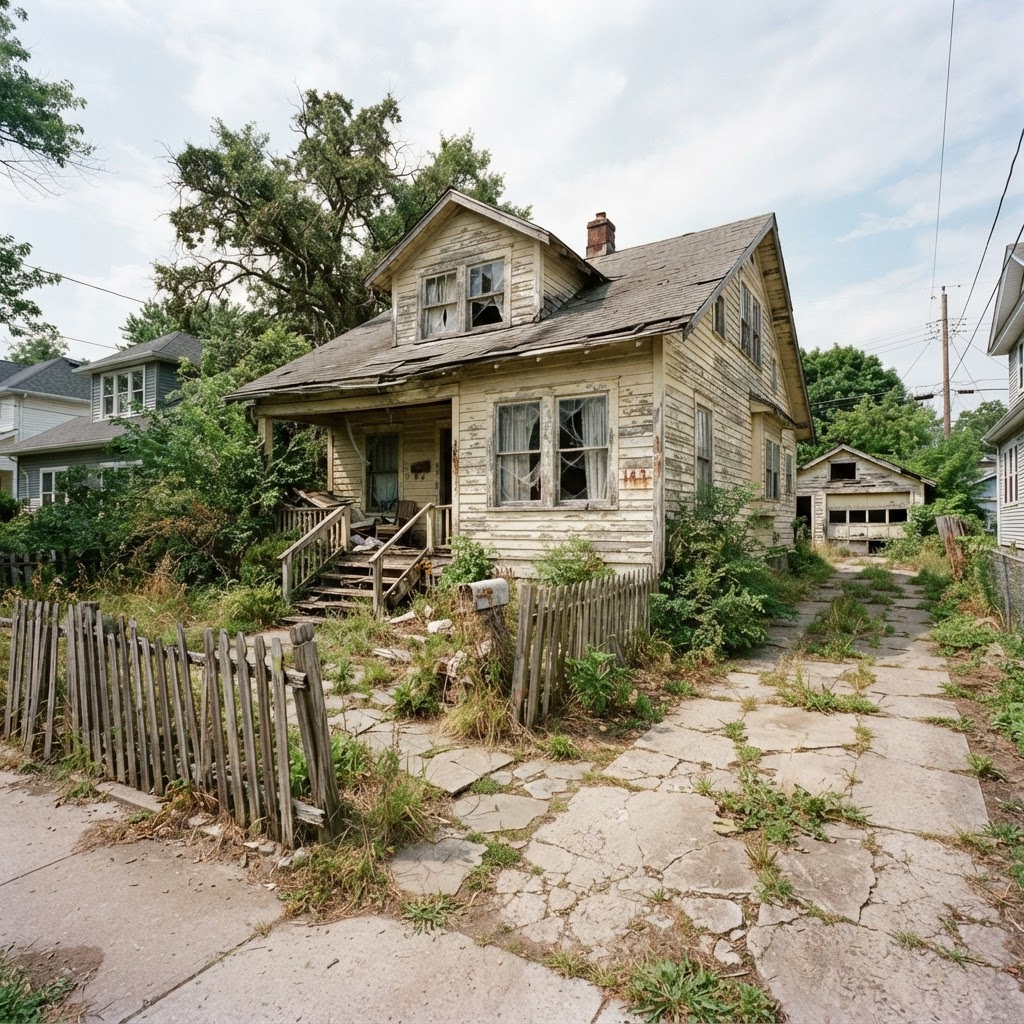
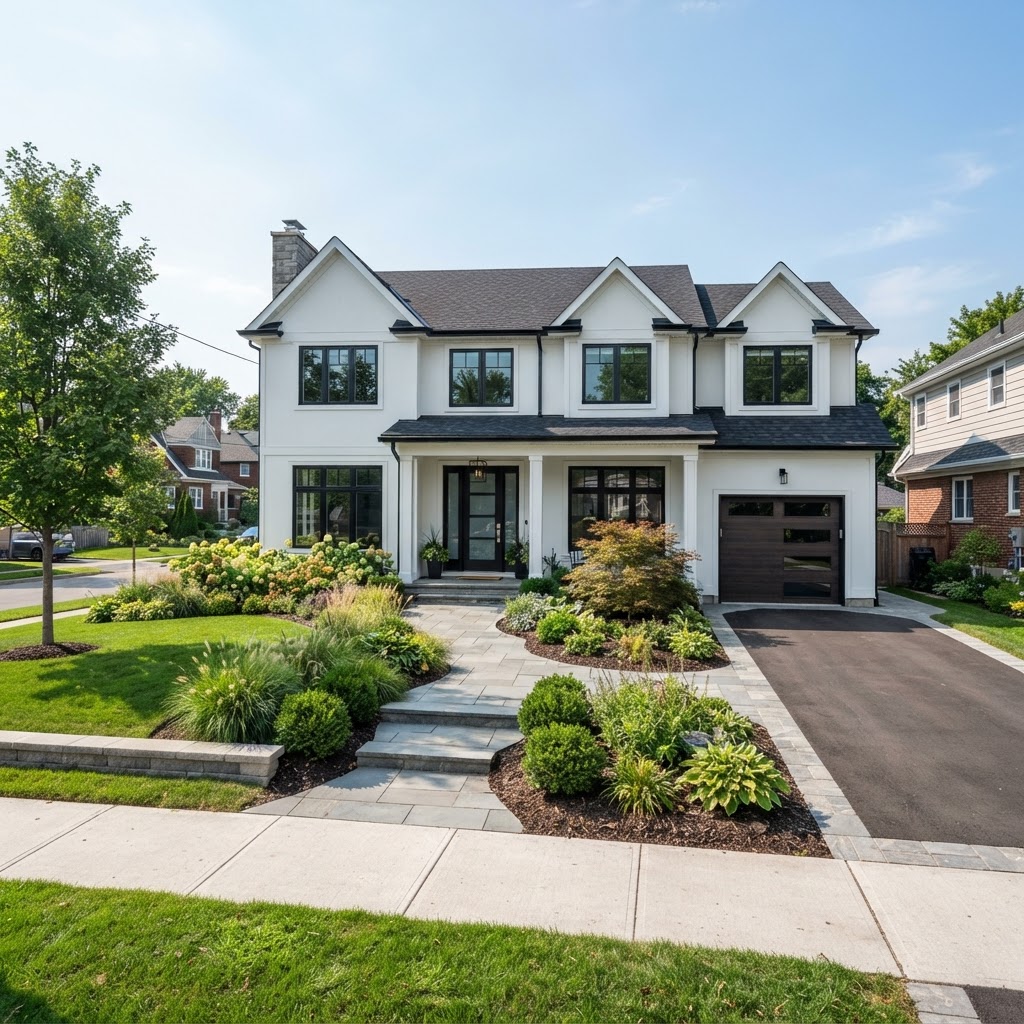
AI render apps: from a photo or sketch to a house render
AI render apps are the fastest route from "what if" to a convincing picture: they need no 3D model, run in the browser and charge per image or per credit. They're best for early options, renovation previews and client conversations. Their weakness is fidelity, because the model interprets your input rather than measuring it.
Pricing models differ more than quality does. On ArchHomeAI's AI Studio you buy credits with no subscription: a standard render costs 2 credits, about $0.17 to $0.22, and new accounts get 5 free. Chaos Veras plugs into Revit, SketchUp, Rhino, Archicad and other modelling tools; its Starter plan is $202.80 a year for 500 credits a month, which Chaos equates to about 50 Nano Banana 2 images. mnml.ai starts at $29 a month for 1,000 credits, roughly 100 fast renders, with a commercial licence on every plan.
- ArchHomeAI (100-credit pack, 2 credits/render): ≈ $0.17–0.22
- mnml.ai Lite (fast render): ≈ $0.29
- Chaos Veras Starter (Nano Banana 2, 1K): ≈ $0.34
Our arithmetic from list prices checked October 2026: mnml.ai $29 for about 100 fast renders; Veras Starter $202.80 a year for about 50 images a month. Unused subscription credits raise the real cost per image.
The catch with subscriptions is the word "if": a homeowner who makes 30 images for one project and stops pays far more per image on a monthly plan than the chart suggests. Architects who render every week can get lower unit prices on higher tiers, such as Veras Pro at $348 a year for about 200 images a month.
3D and real-time renderers with AI features
Real-time renderers turn a 3D model into images, panoramas and walkthroughs, and they're now adding AI on top. Their big advantage is accuracy: every wall and window comes from the model, so views stay consistent. The price is that you must build the model and own a capable computer.

AI in these tools mostly speeds things up rather than replacing the model. On the Chaos pricing page, Enscape Solo costs $574.80 a year and includes 100 Chaos AI credits a month, rising to 1,500 with the Enscape Collection at $730.80. D5 Render's plans give its free Community tier 50 trial credits for its AI features and unlimited use on Pro and Teams. Lumion Pro is $1,149 a year, with AI tools included. Twinmotion is free for companies under $1 million revenue and $445 per seat above that, and Blender stays free under the GNU GPL, even for commercial work.

Check the hardware before the licence. D5 lists Windows 10 and at least an NVIDIA GTX 1060 6GB, AMD Radeon RX 6000 XT or Intel Arc A3 on its system requirements page, and notes that video memory decides how complex a scene you can handle. A laptop with integrated graphics won't cut it.
Home design and floor plan tools that render
Plan-based tools sit between the two: you draw walls, doors and windows, place furniture, and the tool renders its own 3D scene. They're the right choice when the layout is the question, because the image is tied to real dimensions. Image quality is usually a notch below a dedicated renderer or a good AI render.

RoomSketcher has a free plan with 2 starting credits, an AI floor plan conversion and an AI render; Pro costs $12 a month billed annually and adds 3D photos, 360 views and print to scale. SketchUp Pro is $33.25 a month billed annually, while Studio, at $71.58 a month and Windows only, adds V-Ray for photoreal stills, animations and 360° panoramas. ArchHomeAI's 2D plan editor drafts a plan from a written brief (1 credit per floor), and the 3D planner turns a plan into a 3D model (3 credits) with walk-through, 360° panoramas and a photoreal 3D render for 4 credits.
For layout work, also see our guide to the AI floor plan generator, which explains how to brief and check AI-drafted plans.
AI rendering tools for houses compared
The table below lines up the tools named in this guide by type, entry price and what you have to feed them. List prices were checked on official pages in October 2026, in USD; taxes, regions and promotions change them. For a deeper price-per-image comparison of home design apps, see our comparison of AI home design tools.
| Tool | Type | Entry price | You provide | Best for |
|---|---|---|---|---|
| ArchHomeAI | AI render app + 2D/3D planning | 5 free credits; 100 credits $11 one-time | Photo, sketch, plan or written brief | Homeowners and small studios needing renders, plan and 3D in one place |
| Chaos Veras | AI render app / plugin | Starter $202.80/yr (500 credits/month) | Model view in Revit, SketchUp, Rhino etc., or image | Architects already in a BIM or CAD tool |
| mnml.ai | AI render app | Lite $29/month (1,000 credits) | Sketch, photo or screenshot | Frequent users wanting many AI tools under one plan |
| Midjourney | General image generator | Basic $10/month | Text and image prompts | Mood boards; not for a specific house |
| Enscape | Real-time renderer | Solo $574.80/yr incl. 100 AI credits/month | 3D model | Live renders inside design software |
| D5 Render | Real-time renderer | Community free; Pro paid | 3D model + Windows GPU | High quality on a budget |
| Lumion | Real-time renderer | Pro $1,149/yr | 3D model | Exterior scenes with planting and context |
| Twinmotion | Real-time renderer | Free under $1M revenue; $445/seat/yr | 3D model | Small firms, walkthroughs |
| RoomSketcher | Plan tool that renders | Free; Pro $12/month billed yearly | Floor plan you draw or upload | Room layouts and listing floor plans |
| SketchUp Studio | Modeller + V-Ray | $71.58/month billed yearly | 3D model you build | Designers who model and render in one tool |
Test an AI render on your own house photo Upload a photo of your plot, house or room, describe the change and get several photoreal variations. Standard renders cost 2 credits, failed ones are refunded automatically, and new accounts get 5 credits free. Try it on your photo: 5 free credits
How to choose an AI rendering tool for a house project
Choose by four questions in order: what you start from, how accurate the image must be, how often you'll render, and how the images will be used. Work through them and one or two types drop out immediately. Price is the last filter, not the first.
- Name your starting point A phone photo of a plot or house points to an AI render app. A Revit, SketchUp or Archicad model points to a real-time renderer or a plugin like Veras. A sketch of rooms points to a plan tool.
- Decide how accurate it must be Choosing a style or a facade colour tolerates AI interpretation. Anything a buyer, planner or builder will rely on needs a model-based render.
- Estimate your volume One project, a few dozen images: pay-as-you-go credits. Weekly client work: a subscription with the right credit allowance.
- Read the licence Midjourney requires Pro or Mega for companies over $1 million revenue, and only those plans include Stealth Mode privacy. Check whether marketing use, resale and client ownership are allowed.
- Check hardware and platform Real-time renderers need a dedicated GPU, and some are Windows only. Cloud AI apps run in any browser.
Our opinion: homeowners and small builders should start with a credit-based AI render app and add a plan tool once the layout matters. Architects already modelling in BIM get more from AI inside their existing renderer than from a separate app. A general image generator is the weakest choice for a real house, because it doesn't respect the one you have.
How to test an AI rendering tool before you pay
Most tools offer free credits or a trial, so test with your own material rather than the gallery. A 30-minute test with one photo and one fixed prompt will tell you more than any feature list. ArchHomeAI gives 5 free credits, Veras a 14-day trial with 100 credits, and RoomSketcher a free plan.
- Use the same photo and the same prompt in every tool, for example "two-storey modern exterior, white render, dark window frames, timber soffit".
- Check geometry: count windows and doors against the original. Moved openings are the most common AI error.
- Run it twice; if the runs disagree wildly, consistency will be a problem.
- Change one thing (cladding colour) and see whether the rest of the image stays put.
- Check output resolution, watermarks, download format and whether failed images cost credits.
The tool that wins on your photo is often not the one with the slickest examples page. Our guide to AI interior design has prompt patterns that work for rooms too.
Where AI rendering tools mislead, and when to use a 3D renderer instead
AI rendering tools mislead when an image looks more certain than the design behind it. They can move windows, invent landscaping, flatter materials and ignore the neighbours, all in a photoreal finish. Switch to a model-based render whenever someone will make a binding decision from the picture.
Professional unease is real too. The RIBA AI Report 2025 found 59% of UK practices used AI in 2025, yet 67% worried about their work being imitated. So don't upload another firm's published images as style references for commercial work, and label AI images as concepts. For model-based visualization, our guide to 3D home visualization explains the walk-through and 360° route.
- 59% of UK architecture practices used AI in 2025, up from 41% in 2024 (RIBA)
- 67% of UK architects worry AI increases the risk of their work being imitated (RIBA)
- $0 Twinmotion licence for companies under $1M revenue (Epic Games)
- GTX 1060 6GB minimum NVIDIA GPU listed for D5 Render
Go from plan to an accurate 3D render Upload or draw a floor plan, turn it into a 3D model for 3 credits, walk through it, and make a photoreal 3D render for 4 credits. New accounts get 5 free credits. Turn your plan into 3D
Frequently asked questions
What is the best AI rendering tool for houses?
It depends on your starting point. With a photo of a plot or house, an AI render app such as ArchHomeAI, mnml.ai or Veras gives the fastest results. With a 3D model, a real-time renderer like Enscape, D5 or Twinmotion keeps views accurate. For layout questions, a plan tool such as RoomSketcher or ArchHomeAI's 2D and 3D planners ties the image to real dimensions.
Can I render a house from a photo with AI?
Yes. AI render apps take a photo of an empty plot, an existing house or a room, plus a text description, and return photoreal variations in minutes. On ArchHomeAI a standard render costs 2 credits, about $0.17 to $0.22. Check the result against the original: AI sometimes moves windows or doors, so it suits concepts rather than measured drawings.
Are AI rendering tools free?
Many have free entry points but few are free for ongoing work. ArchHomeAI gives new accounts 5 credits, Veras offers a 14-day trial with 100 credits, D5 Community includes 50 AI trial credits, and RoomSketcher has a free plan. Twinmotion is free for companies under $1 million revenue, and Blender is free under the GNU GPL.
Do I need a powerful computer for AI rendering?
Not for cloud AI render apps, which run in a browser on any laptop or phone. Real-time 3D renderers are different: D5 Render lists Windows 10 and at least an NVIDIA GTX 1060 6GB, AMD Radeon RX 6000 XT or Intel Arc A3, and more video memory handles bigger scenes. Some tools, like SketchUp Studio, are Windows only.
Can I use AI renders commercially?
Usually, but read each licence. mnml.ai includes a commercial licence on all plans. Midjourney requires the Pro or Mega plan for companies with more than $1 million in annual revenue. Beyond the licence, avoid presenting AI images as accurate depictions in sales or planning material, and don't use other firms' work as style references for client projects.
Will AI rendering tools replace 3D visualization software?
Not for work where accuracy matters. AI apps are faster and cheaper for options and early concepts, but a model-based renderer keeps every view consistent with the drawings. Vendors are merging the two: Enscape now includes monthly AI credits and Veras runs inside Revit, SketchUp and Rhino, so most professionals will use both.
Sources
How we wrote this guide: every figure comes from the sources listed at the end and was checked in September 2026. Prices vary by city, specification and year.
- Veras: AI-powered visualization — Chaos
- Chaos pricing (Enscape, Veras) — Chaos
- mnml.ai pricing — mnml.ai
- Comparing Midjourney Plans — Midjourney
- D5 Render pricing — D5 Render
- D5 Render system requirements — D5 Render
- Lumion plans and pricing — Lumion
- Twinmotion licensing — Epic Games
- Blender license — Blender Foundation
- SketchUp plans and pricing — Trimble
- RoomSketcher pricing — RoomSketcher
- Second RIBA AI Report shows surge in usage among UK architects — Royal Institute of British Architects