

Here's how to create a house rendering with ArchHomeAI: upload a photo of your plot, house or sketch to the AI Studio, describe the design, pick an engine and the number of variations, and generate. Results arrive in a minute or two. A standard render costs 2 credits, and new accounts get 5 free credits.
Key takeaways
- A standard render costs 2 credits (Nano Banana 2 or Flux 2); Nano Banana Pro costs 5 and GPT Image 7, plus 1 credit at 2K.
- Edits to a finished render (painted area, material swap or quick edit) cost 4 credits each and are saved as new versions.
- A 5-second Kling video costs 17 credits; a 10-second Seedance video costs 49.
- A full example project with eight renders, edits, a plan, a 3D model and a video comes to about 76 credits, within the 100-credit pack at $11.
- Renders and AI plans are visualizations and early drafts; permits still need a licensed architect or engineer.
What you need before you create a house rendering
You need one good image and a clear idea of what you want to change. The image can be a photo of an empty plot, an existing house, a room, a hand sketch, a SketchUp screenshot or a floor plan. Without any image you can still render from text, but you lose control over the shape of the house.
Shoot in daylight from the angle that matters most, usually the street. Keep the phone level, use the main lens rather than the ultra-wide, and include the whole house with a little sky and ground. The Studio accepts JPG, PNG or WebP files up to 10 MB, and you can tag photos as front, rear, left or right to get one render per angle.

Drone photos of a plot work very well. If you fly yourself in the US, the FAA's recreational rules require you to pass the free TRUST test, stay at or below 400 feet in uncontrolled airspace, keep the drone in visual line of sight and register it if it weighs 250 g or more. Paid real estate or survey flights fall under Part 107 instead. Other countries have their own rules.
Steps 1 to 3: account, project type and upload
Setup takes about two minutes. Register, open the AI Studio, create a project, and choose what you're doing so the model knows whether to keep the existing building or design a new one.
- Create a free account Register with email or Google. You get 5 free credits without a card, enough for two standard renders.
- Start a project in the Studio Open the AI Studio and click New Project. Projects keep every version, so you can go back to any earlier result.
- Pick the project type New build on an empty plot, renovation of an existing house, interior design, or full package. For interiors you also choose the room type, from living room and kitchen to bathroom, office or kids' room.
- Upload your images and any plan Add the photos, a sketch or a plan PDF. If you upload a plan, the AI reads floors, rooms and area and matches the render to them.

For a renovation, switch on Preserve Existing Structure. It tells the model to change only finishes and colors and keep the walls, roofline and openings. If the source is a sketch or a SketchUp screenshot, tick the sketch option instead: it keeps lines, proportions, openings and the camera angle and only adds realism, at no extra cost.
How to describe the design so the render matches your idea
Name concrete materials, colors and elements, and say what must stay. A short description with specific nouns beats a long one full of adjectives like stunning or luxurious, which the model mostly ignores.
| Part | What to write | Example |
|---|---|---|
| Building | Type, storeys, overall style | Two-storey family house, modern Mediterranean |
| Facade | 2 to 4 specific materials and colors | White plaster, travertine base, dark bronze window frames |
| Roof and openings | Roof form, window style | Flat roof with a thin overhang, tall sliding glass doors |
| Outdoor | Garden, pool, fence, paving | Olive trees, gravel path, 8 m pool, low stone wall |
| Light | Time of day, sky | Late afternoon sun, clear sky |
Then press Enhance prompt. It's free, turns your notes into a detailed English prompt for the image engine, and you can edit the result. Use the negative field for things you don't want, such as cars, people or overhead wires, and the style and material chips (modern, minimalist, Mediterranean, rustic, luxury; glass, plaster, stone, wood) if you prefer clicking to typing.
Choosing an engine, resolution and number of variations
Start cheap and wide, then go expensive and narrow. Generate several variations with a standard engine to find the direction, and only rerun the winner with a premium engine or at 2K if you need the extra detail.
| Engine | Credits | Best for |
|---|---|---|
| Nano Banana 2 (default) | 2 | Fast, high-quality first rounds |
| Flux 2 | 2 | Precise, professional look |
| Nano Banana Pro | 5 | Higher detail on a chosen direction |
| GPT Image | 7 | An alternative interpretation of the same brief |
| 2K resolution | +1 | Larger files for print or presentation |
Each variation is billed separately, so four standard variations cost 8 credits. You can also set the aspect ratio, for example 16:9 for a presentation or 9:16 for a phone screen. Generation takes a minute or two, and failed generations are refunded automatically. On the project board you can compare the result with your original photo with a drag slider or side by side.
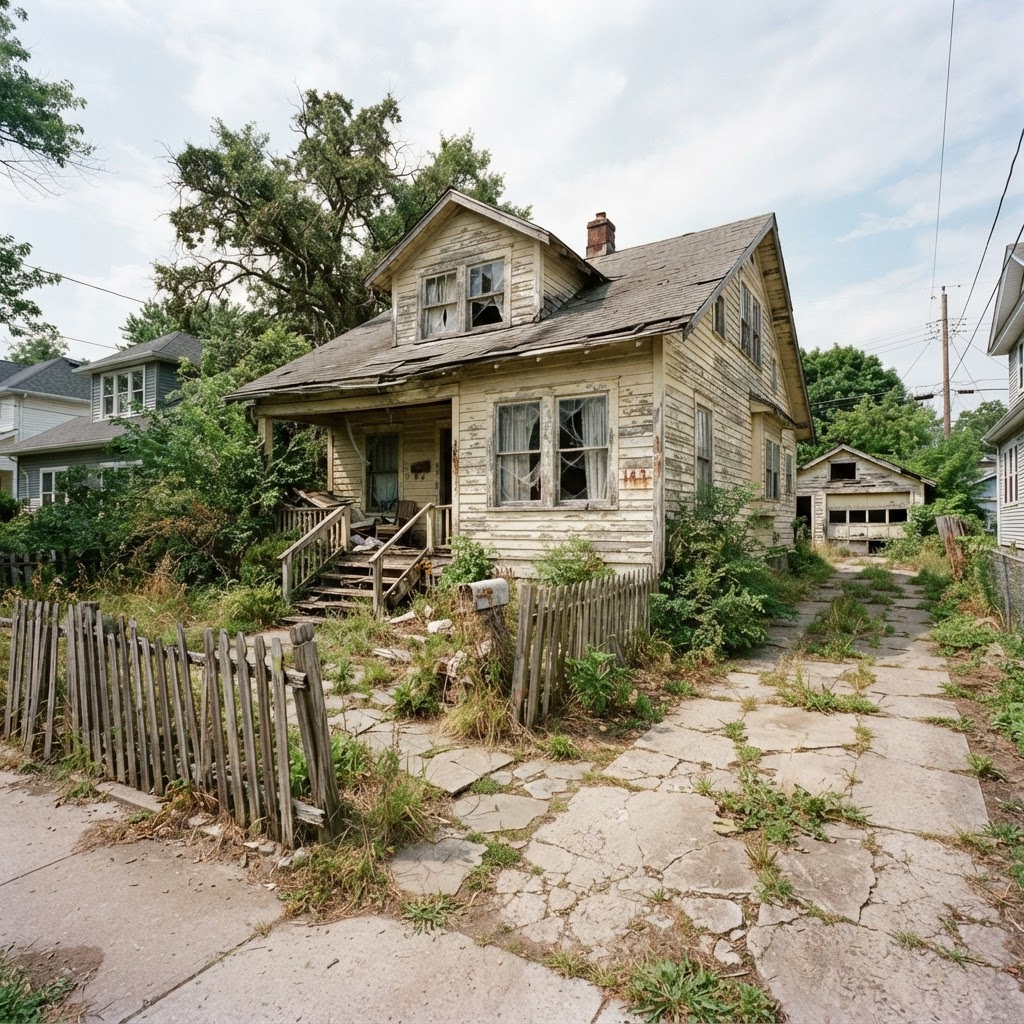
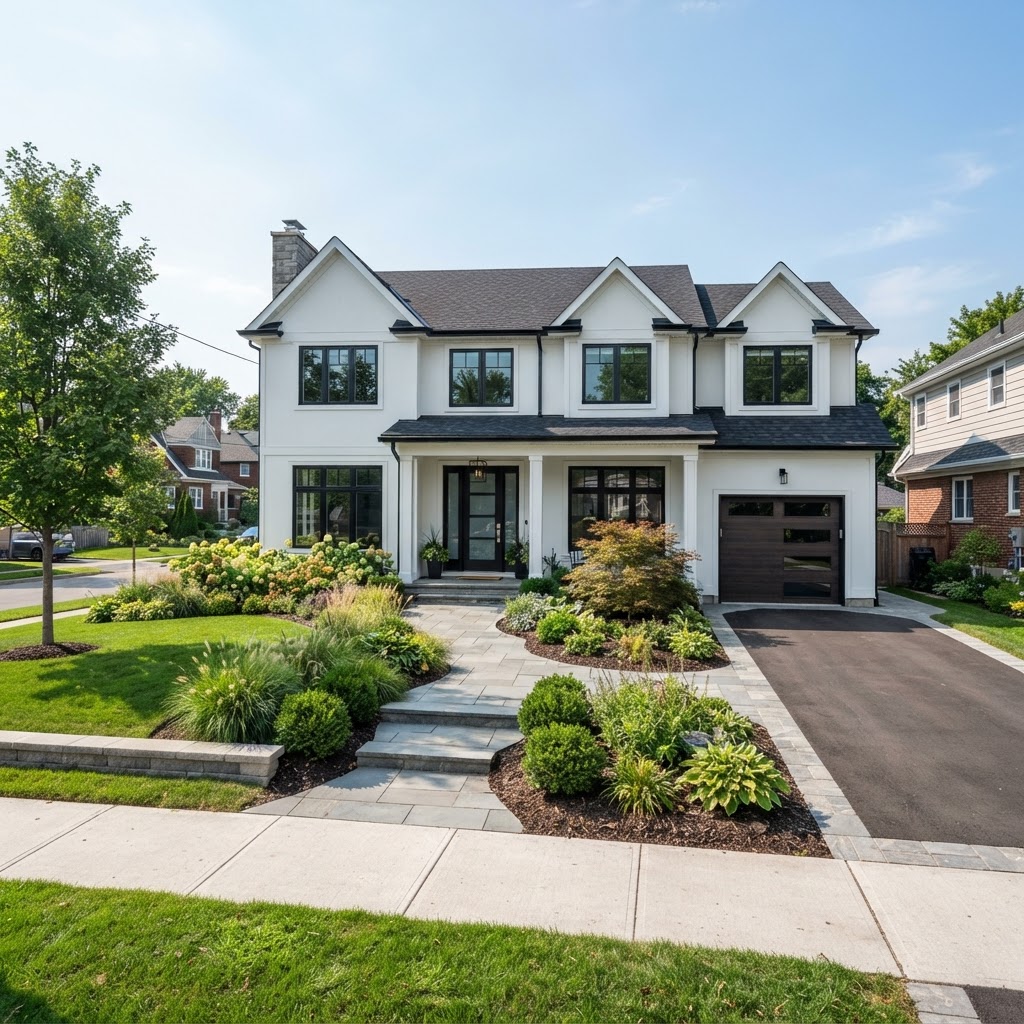
Render your own house in a few minutes Upload a photo of your plot or house, describe the design and compare several variations. New accounts get 5 free credits, no card needed. Try it on your photo, 5 free credits
How to refine a render without starting over
Once one variation is close, edit it rather than regenerating from scratch. Studio Pro tools change part of the image and save the result as a new version, so the original is never lost.
- Edit an area (4 credits): paint over the roof, windows or garden with the brush and describe the change. Nothing painted means the whole image changes.
- One-click material swap (4 credits): facade in brick, concrete, white plaster, stone or wood cladding; floors in concrete, marble or oak.
- Quick edits (4 credits each): morning light, golden hour, dusk with lights on or night; four seasons; clear or dramatic sky; add people; garden and plants; remove cars and clutter.
- Upscale to 4K (6 credits) for print, once the design is final.
- Style reference image (no extra credits): upload a photo you like and the render adopts its style and materials without copying the building. It works with the Nano Banana engines.
From render to floor plan and 3D model
A render shows how the house looks; a plan and a model show whether it works. ArchHomeAI links the three, but the plan and model are early-design drafts, not construction drawings.
In the 2D plan editor you can generate a plan from a written brief (1 credit per floor) or import a plan image for AI reading (3 credits) or a DXF. Then edit walls, doors, windows, furniture and dimensions, add roofs, elevations and sections, and export DXF, SVG, PDF or IFC. Our guide on how to draw a floor plan covers the basics.
The 3D planner turns an uploaded plan into a 3D model for 3 credits. You can furnish it, walk through it, export 360° panoramas and glTF or OBJ files, and produce a photoreal render of the model for 4 credits. Changes to furniture, doors, windows and walls can be synced back to the linked 2D plan.
How to turn a house rendering into a short video
Pick your best still and animate it into a 5 or 10 second clip. Videos are the most expensive step, so make them last, from a final version rather than a draft.
Two engines are available. Kling is the default with good quality, at 17 credits for 5 seconds or 33 for 10. Seedance gives smoother motion, at 25 credits for 5 seconds or 49 for 10. Rendering can take up to about five minutes. Short clips suit social posts, listings and a quick message to family. If the clip shows odd motion around trees or glass, try the other engine rather than rewriting the prompt.
Sharing renders with family, clients or a contractor
Create a share link from the project. It is view-only, hides your prompts, plans and account details, and you can switch it off at any time.

People with the link can comment on a version, pin a comment to a spot in the image, and approve it. You can also ask them to choose between 2 and 8 render versions or 2D design options. Professionals can add an office logo and details to share pages and drawing sheets. The research behind this is sound: in Houzz's 2026 survey, 76% of homeowners said AI used by their professional helped them visualize the project.
How much does it cost to create a house rendering?
A single standard render costs 2 credits, about $0.17 to $0.22 on one-time packs. A complete small project with renders, edits, a plan, a 3D model and a video comes to roughly 76 credits, which fits in the 100-credit pack at $11.
- 8 standard render variations: 16
- 3 edits (area, material, dusk): 12
- 4K upscale of the final: 6
- 2-floor plan from a brief: 2
- Plan to 3D model + 3D render: 7
- 10 s Kling video: 33
ArchHomeAI credit prices as listed in October 2026. Total 76 credits.
Packs are one-time: 100 credits for $11, 500 for $42, 1,200 for $87. Monthly plans run from 250 credits at $19 to 1,800 at $109; see credits and pricing. For comparison, Cad Crowd's cost guide lists $200 to $700 for a single residential exterior from freelancers and smaller firms, and $5,000 to $10,000 for animation from larger firms.
- 2 credits one standard AI render (about $0.17 to $0.22)
- $200–$700 freelance residential exterior render (Cad Crowd)
- 76% of homeowners say a pro's AI helps them visualize (Houzz, 2026)
- 83% of buyers' agents say staging helps buyers visualize a home (NAR, 2025)
Common mistakes, and when to hire a renderer instead
Most wasted credits come from poor photos, vague prompts and changing too much at once. A few habits fix that, and a few situations still call for a human visualizer.
- Uploading a dark, tilted or ultra-wide photo, then blaming the engine for bent walls.
- Forgetting Preserve Existing Structure on a renovation, so the model redesigns the whole house.
- Changing facade, roof and garden in one round; change one thing and compare.
- Paying for 2K, 4K or video before the design is agreed.
- Treating the render as a color or material sample; screens and real materials differ.
Hire a renderer, or use a traditional 3D workflow, when you need an exact match to construction drawings, consistent views of a large development, or marketing images a buyer will rely on. Real estate rules can apply too: NAR's 2025 staging report notes that 24% of sellers' agents see virtual staging as equally important as physical staging, and altered listing photos may need disclosure. Our architectural rendering guide compares both routes.
Ready to see your house? Open the AI Studio, upload a photo, sketch or plan, and get your first variations in a minute or two. Failed generations are refunded automatically. Create my first rendering
Frequently asked questions
How do I create a house rendering from a photo?
Take a sharp, level daylight photo of the house or plot, upload it to the ArchHomeAI Studio, choose renovation or new build, and describe the design with specific materials and colors. For renovations, turn on Preserve Existing Structure. Pick the number of variations and generate. Each standard variation costs 2 credits and arrives in a minute or two.
Can I create a house rendering without a photo?
Yes. The Studio can generate a rendering from a text description alone, and new builds work reasonably well this way. You'll have less control over massing and proportions, though. Even a rough hand sketch, a SketchUp screenshot or a floor plan gives the model geometry to follow, and the sketch option keeps lines and openings at no extra cost.
How many free renders do I get?
New ArchHomeAI accounts receive 5 free credits with no card required. A standard render with Nano Banana 2 or Flux 2 costs 2 credits, so the free credits cover two standard renders with one credit left over. Enhance prompt is free, and failed generations are refunded automatically, so the trial credits only go on results you actually receive.
How long does an AI house rendering take?
A still image usually takes a minute or two in the Studio. Edits such as material swaps, quick edits and the 4K upscale also take a minute or two each. Videos take longer, up to about five minutes for a 5 or 10 second clip. A traditional 3D render from a studio usually takes days, depending on the brief and revisions.
Can I get a floor plan from my rendering?
You can create a matching draft plan in the 2D plan editor, either from a written brief at 1 credit per floor or by importing an existing plan image for AI reading at 3 credits. The editor exports DXF, SVG, PDF and IFC. These plans are early-design drafts; permit drawings need a licensed architect or engineer.
Can I use AI renderings to sell my house?
You can use them to show potential, but be careful. Label them clearly as visualizations and keep the original photos available. Some places require it: a California law signed in October 2025 requires agents to disclose digitally altered listing images and link to the originals. Don't present a render as the current state of the property.
Sources
How we wrote this guide: every figure comes from the sources listed at the end and was checked in September 2026. Prices vary by city, specification and year.
- 12 Key Takeaways on AI in Home Design and Construction — Houzz
- What are Architectural 3D Visualization Costs, Service Fees & Rates for Companies? — Cad Crowd
- Recreational Flyers & Community-Based Organizations — Federal Aviation Administration
- NAR Report Reveals Home Staging Boosts Sale Prices and Reduces Time on Market — National Association of REALTORS®
- 2025 Profile of Home Staging: Snapshot — National Association of REALTORS®
- California AB 723 (2025): Real estate: digitally altered images: disclosure, chaptered text — California Legislature (via LegiScan)