

The best AI home design tools for most homeowners are the ones you can pay for per project. Comparing list prices from October 2026, ArchHomeAI costs about $0.17–$0.22 per standard render with no subscription. Visoid and mnml.ai get cheaper per image at high monthly volume, while staging apps charge $0.32 to $2.67 per photo.
Key takeaways
- On ArchHomeAI a standard render costs 2 credits, so the 100-credit pack at $11 works out to $0.22 per image and the 500-credit pack at $42 to about $0.17.
- Visoid's Pro plan lists up to 150 1K images for $29 a month (about $0.19 each), dropping to about $0.10 on annual billing.
- mnml.ai gives 100 free credits (roughly 10 Fast renders) and sells a one-time 10,000-credit pack for $149, about $0.15 per Fast render.
- Virtual Staging AI's yearly plans list $0.53 to $2.67 per photo, and Collov AI's cheapest plan is $228 a year for 60 photo credits a month.
- For a single 30-to-40-image home project, the smallest outlay we found was $10 to $11; most subscription tools need $29 or more, and annual plans $81 to $228.
What do AI home design tools actually do?
AI home design tools turn an input you already have, such as a house photo, an empty room, a sketch or a plan, into a photoreal image of a proposed design. They split into four groups, and the price model differs by group. Compare tools inside the same group first, then across groups.
- Photo-to-render studios: upload a plot, facade or room photo and describe the design. ArchHomeAI, mnml.ai and Visoid sit here.
- Virtual staging apps: furnish empty rooms for property listings. Collov AI and Virtual Staging AI are built for estate agents.
- 3D planners with AI add-ons: you model the home, then render it. Homestyler and Planner 5D bundle AI credits into their plans.
- General image generators: Midjourney and similar tools make beautiful pictures, but they aren't built around your actual walls and windows.
A staging app can be excellent for a listing photo and useless for deciding whether a gable roof suits your plot. If you mostly want to see your own house redesigned, a photo-to-render studio is the shortest route.

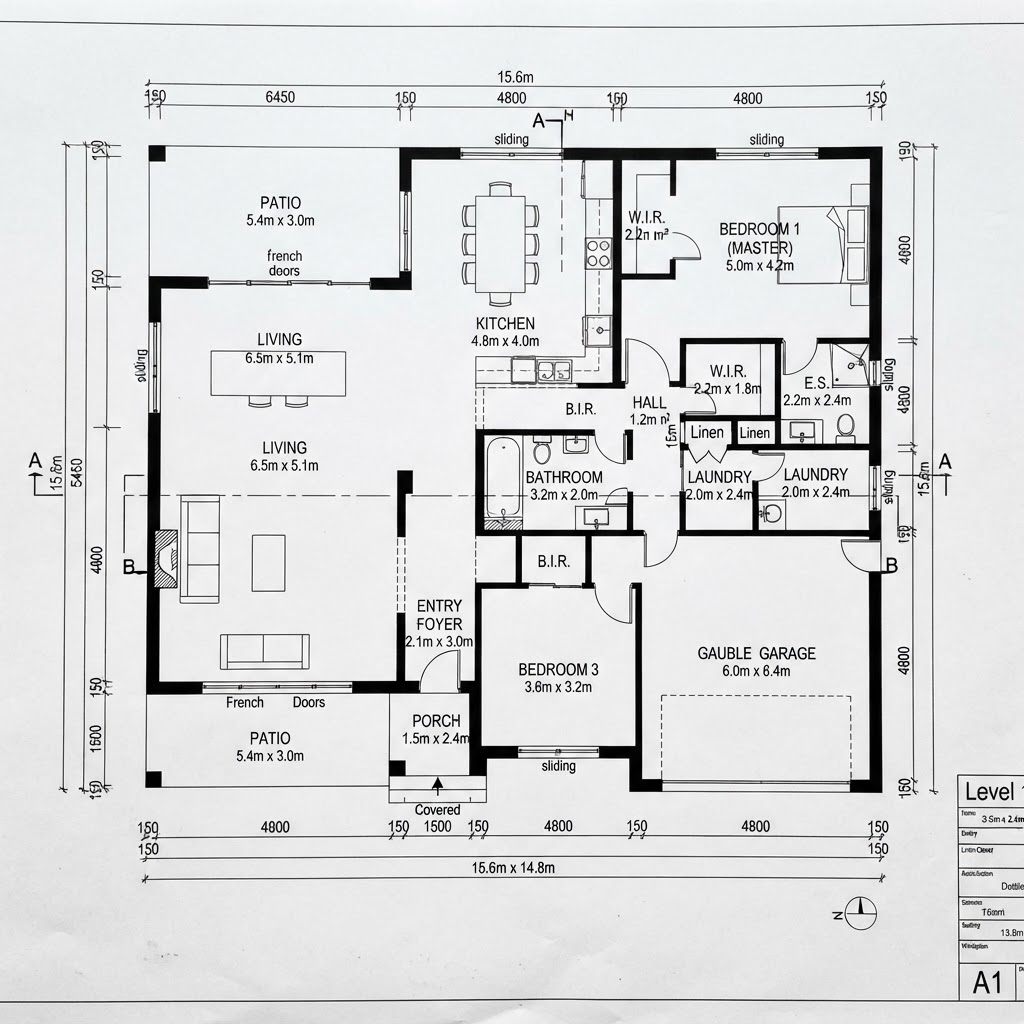
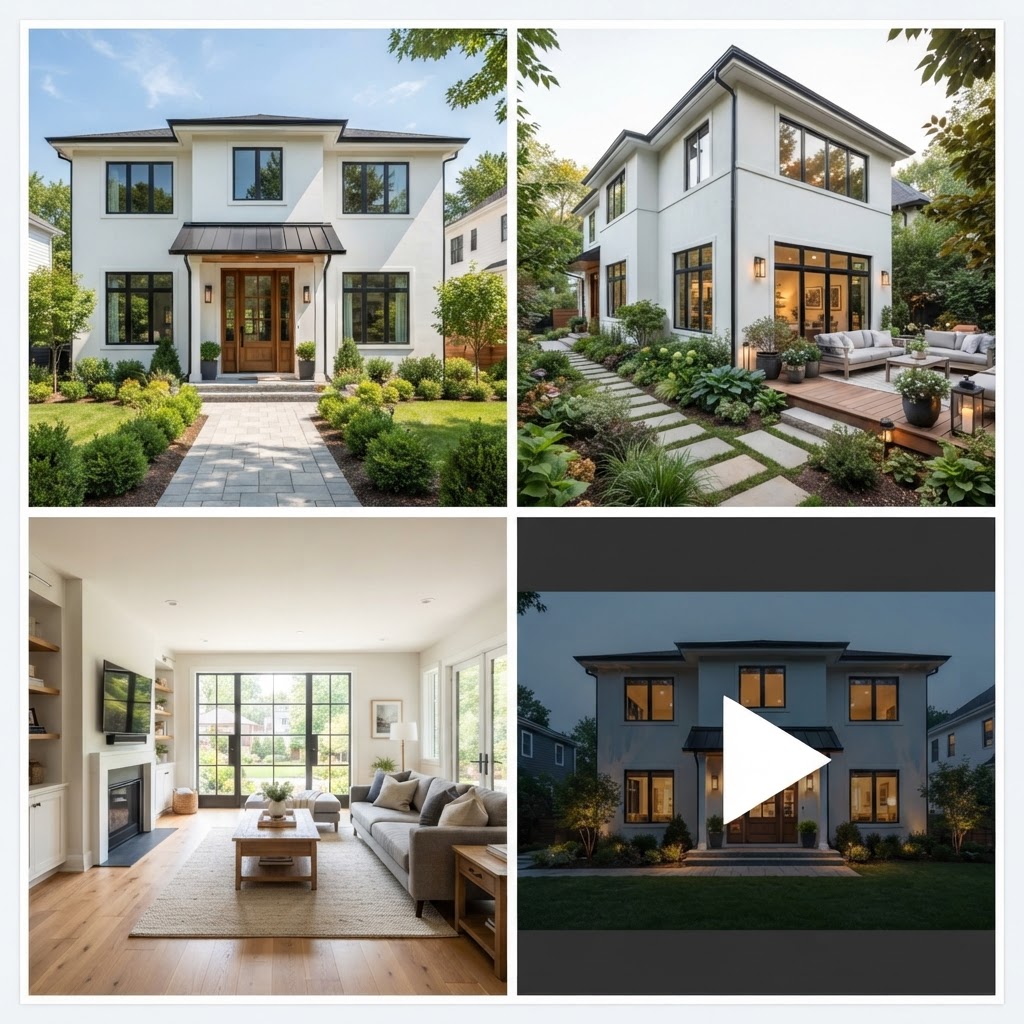
How we compared the tools
We opened each vendor's public pricing page in October 2026 and recorded only what the page lists. Where a plan states an image or photo allowance, we divided the price by that allowance to get a price per image. Where a page showed no prices, or no image allowance, we left the number out rather than guessing.
That rule removed several well-known apps whose pages show prices only at checkout, or only as a range with no cost per image. Prices change often, sometimes monthly, so treat every number here as "as listed, October 2026" and check the vendor page before you pay.
Best AI home design tools compared on price per image
On list prices, the cheapest per-image rates belong to annual subscriptions at high volume, while the cheapest way to finish a single project is pay-as-you-go credits. ArchHomeAI's standard render works out to $0.22 on the smallest pack and about $0.17 on the 500-credit pack. Visoid and mnml.ai undercut that once you commit to a plan or a $149 pack.
| Tool | Cheapest paid option | Images included | Price per image | Free start |
|---|---|---|---|---|
| ArchHomeAI | 100 credits, $11 one-time (no subscription) | 50 standard renders (2 credits each) | $0.22 ($0.17 on 500 credits for $42) | 5 free credits, no card |
| mnml.ai | Lite, $29/month | ~100 Fast or ~33 Ultra renders | ~$0.29 Fast, ~$0.88 Ultra | 100 free credits (~10 Fast renders) |
| mnml.ai one-time pack | $149, valid 12 months | ~1,000 Fast renders | ~$0.15 | Same as above |
| Visoid | Pro, $29/month or $15/month billed annually | Up to 150 1K images a month | ~$0.19 monthly, ~$0.10 annual | Up to 10 1K images, watermarked, non-commercial |
| Collov AI | Standard, $19/month billed $228 yearly | 60 photo credits a month (4 renders per version) | ~$0.32 per photo | 5 watermarked trials |
| Virtual Staging AI | Basic, $16/month billed $192 yearly | 6 photos a month | $2.67 (Standard: $0.95; Enterprise: $0.53) | Not stated on pricing page |
| Homestyler | Pro+, from $6.8/month (annual offer) | 180 AI credits a month; AI Stager uses 10 per image | ~$0.38 per AI image | Unlimited 1K renders of your own 3D model |
| Planner 5D | Premium, $19.99/month or $59.99/year | 100 AI Studio credits a month | Not stated (credits per image not listed) | Free plan, half the catalogue |
| Midjourney | Basic, $10/month | 3.3 hours of Fast GPU time | Not stated (sold as GPU time) | None listed |
- Visoid Pro (monthly): $0.19
- ArchHomeAI (100 credits): $0.22
- mnml.ai Lite (Fast): $0.29
- Collov AI Standard: $0.32
- Homestyler Pro+ (AI Stager): $0.38
- Virtual Staging AI Standard: $0.95
Our arithmetic from vendor pricing pages as listed in October 2026: mnml.ai, Visoid, Collov AI, Virtual Staging AI, Homestyler, ArchHomeAI. Collov counts one uploaded photo; Homestyler and Virtual Staging AI use annual billing.
Collov's photo credit covers one uploaded photo with unlimited restyles, four renders per version, so heavy regenerators pay less than $0.32 per usable image. Homestyler's $6.8 is a "starts from" annual offer.
Where other tools beat ArchHomeAI
Several tools are the better pick for specific users, and a fair comparison has to say so. If you render every week, an annual Visoid or mnml.ai plan will cost less per image. If you already model in SketchUp or Revit, or you stage listings for a living, a specialist will fit your work better.
- High monthly volume: Visoid's Premium plan lists up to 650 1K images for $39 a month billed annually, about $0.06 each. Nothing pay-as-you-go comes close at that volume.
- Plugin workflows: Visoid's pricing page lists plugins for SketchUp, Revit, Rhino, Archicad and Miro, which suits architects rendering from a live model.
- Bigger free start: mnml.ai gives 100 free credits, about 10 Fast renders, against 5 credits (2 standard renders) on ArchHomeAI. It also lists 8K upscaling and DXF export on all plans.
- Modelling for free: Homestyler's free tier includes unlimited 1K renders of a 3D model you build yourself. If you have the patience to model, that's hard to beat.
- Listing photos at scale: Collov AI is designed around estate agents, with unlimited restyles per uploaded photo.
- Mood and concept art: Midjourney's Basic plan at $10 a month is the cheapest entry here, and it's strong for atmosphere boards.
Honestly, anyone rendering daily from a 3D model should probably pay for one of those subscriptions. Pay-as-you-go wins for a homeowner, small builder or architect who needs a burst of images for one project and then nothing for months.
What one home project really costs on each tool
For a single renovation or new-build project, the total cash you must spend matters more than the per-image rate. A typical exterior project needs 30 to 40 images plus a few edits. On ArchHomeAI that fits inside one $11 pack, while most subscription tools ask for at least $29, and annual plans ask for $81 to $228 upfront.
Here's the arithmetic for a worked example. Say you're redesigning the front of a 1990s house: 30 standard renders (60 credits), five area edits such as a cladding swap or a new fence (20 credits) and one 4K upscale for printing (6 credits). That's 86 credits, so the 100-credit pack at $11 covers it with 14 to spare. Failed generations are refunded automatically, so you aren't paying for broken outputs.
- Midjourney Basic (1 month): $10
- ArchHomeAI 100 credits: $11
- mnml.ai Lite (1 month): $29
- Visoid Pro (1 month): $29
- Homestyler Pro+ (annual, from): $81.60
- Collov AI Standard (annual): $228
Our arithmetic from list prices, October 2026. Homestyler: $6.8 x 12 months; Collov billed yearly. Midjourney sells GPU time, so images per $10 vary.
A whole house, exterior plus four rooms, might take 80 renders (160 credits), ten edits (40), three 4K upscales (18), a plan-to-3D model (3) and one 5-second Kling video (17): 238 credits. The $42 pack of 500 covers it twice over, or one month of the 250-credit plan at $19.
Midjourney is cheaper on paper. The catch: a general generator isn't built to keep your facade's window positions, so you'll spend time fighting it. Count the images you'd actually show a builder, not the images generated.
Price your own project before you subscribe anywhere Upload a photo of your house, plot or room in the AI Studio, describe the design and see real variations. New accounts start with 5 free credits, no card needed. Try it on your photo, 5 free credits
Features beyond the render: plans, 3D, video and licence
Price per image is only half the comparison, because most home projects also need a plan, a model or a short video. A tool that renders cheaply but can't produce a floor plan sends you to a second subscription. Check what the same credits can buy outside the render.
| Tool | Plans and CAD | 3D and video | Commercial use |
|---|---|---|---|
| ArchHomeAI | 2D plan editor, DXF/SVG/PDF/IFC export, AI plan from a brief (1 credit per floor) | 3D planner, walk-through, 360° panoramas; video 17–49 credits | Licence for planning, marketing, client presentation and personal use (site terms) |
| mnml.ai | DXF export listed | Video generations included in plans | Commercial licence on all plans |
| Visoid | Plugins for SketchUp, Revit, Rhino, Archicad | Video export on Pro; 3D suite on Premium | Commercial on paid plans; free tier non-commercial |
| Collov AI | Not listed | Not listed | Commercial licence listed |
| Homestyler | Floor planner included | 4K renders, 8K/12K panorama quota on Master+ | Not stated on pricing page |
| Planner 5D | Floor plan upload; CAD export on Professional | 360° walkthrough and panorama on Professional | Not stated on pricing page |
| Midjourney | None | Image tool | General Commercial Terms; Pro or Mega required above $1M company revenue |

On ArchHomeAI the extras use the same credits as the renders. A material swap or quick edit (time of day, season, sky, landscaping, removing cars) costs 4 credits, a 4K upscale 6, and a style reference image costs nothing extra. Drafting happens in the 2D plan editor, and the 3D planner turns an uploaded plan into a model for 3 credits. Plans are early-design drafts; permits still need a licensed architect or engineer.
How to test AI home design tools before you pay
Run the same photo and the same brief through two or three free tiers, then pay only for the tool that kept your house recognisable. The free allowances listed in October 2026 range from 5 credits to 100 credits, enough for a quick side-by-side test. Ten minutes here can save a year of the wrong subscription.

- Pick one honest test photo Use a straight-on daylight photo of your facade or an empty room. Every tool struggles with heavy wide-angle distortion.
- Write one brief and reuse it For example: "Two-storey house, white render, vertical larch cladding on the upper floor, dark grey aluminium windows, low stone wall, late-afternoon light." Paste the identical text everywhere.
- Check what stayed put Count windows and doors against the photo. A beautiful image that moved your front door is a mood picture, not a design option.
- Price the keepers Divide what you'd pay by the images you'd actually show a builder or client. That's your real price per image.
- Check the licence If the images go into a listing or a client deck, read the commercial terms first.
Our architectural rendering guide covers when a traditional 3D render is the better buy; AI interior design and the AI floor plan generator guide cover rooms and plans.
When an AI home design tool is the wrong choice
Skip AI images when the picture has to be dimensionally right: planning submissions, construction details, or anything a contractor will price from. Every tool in this comparison produces visualizations, and colours and materials on screen differ from the real product. For those jobs you need drawings from a licensed professional and, often, a render built from a measured 3D model.
Our view, after running the numbers: for most home projects, meaning one house, a few rooms and a burst of decisions over a few weeks, pay-as-you-go credits are the most cost-effective option on the market. You pay $11 to $42 once, use the AI Studio for renders and edits, and keep plans and 3D in the same account. If you render every week from SketchUp, buy Visoid or mnml.ai instead.
Start with 5 free credits, then pay per project Upload your house or plot photo, compare a few design directions, and buy credits only if the results are worth it. Packages start at 100 credits for $11. Render your house now
Frequently asked questions
What is the cheapest AI home design tool?
It depends on volume. For one project, pay-as-you-go is cheapest: ArchHomeAI's 100-credit pack is $11 for about 50 standard renders. For steady weekly use, Visoid's annual Premium plan lists up to 650 1K images for $39 a month, roughly $0.06 each. Prices as listed in October 2026.
How much does an AI render cost per image?
As listed in October 2026, a standard AI render costs roughly $0.10 to $0.38 on the photo-to-render and planner tools we checked, and $0.32 to $2.67 per photo on virtual staging apps. ArchHomeAI charges 2 credits per standard render, which is $0.22 on the 100-credit pack and about $0.17 on the 500-credit pack. Premium models, 4K output and video cost more everywhere.
Can I use AI home design tools without a subscription?
Yes, a few. ArchHomeAI sells one-time credit packages (100 credits for $11, 500 for $42, 1,200 for $87) alongside optional monthly plans. mnml.ai sells a one-time 10,000-credit pack for $149 that stays valid for 12 months. Most staging apps and several render tools only sell monthly or annual plans.
Which AI home design tool has the best free tier?
By size, mnml.ai's 100 free credits (about 10 Fast renders) and Homestyler's unlimited 1K renders of a 3D model you build are the most generous we found. Visoid gives up to 10 1K images, watermarked and non-commercial. ArchHomeAI gives 5 free credits with no card, enough for two standard renders of your own photo.
Are AI home design renders accurate enough for building permits?
No. AI renders are visualizations for exploring ideas and agreeing a direction. They can shift details between variations. Planning and building permits need drawings prepared or approved by a licensed architect or engineer, based on measured dimensions.
Can I use AI-generated home designs commercially?
It depends on the tool and plan. mnml.ai lists a commercial licence on all plans, Visoid's free tier is non-commercial, and Midjourney requires Pro or Mega for companies earning over $1 million a year. ArchHomeAI's terms allow use for planning, marketing, client presentations and personal use, but not reselling the images. Read the terms before you publish.
Sources
How we wrote this guide: every figure comes from the sources listed at the end and was checked in September 2026. Prices vary by city, specification and year.
- mnml.ai Pricing — mnml.ai
- Visoid Pricing — Visoid
- Collov AI Pricing — Collov AI
- Virtual Staging AI Prices — Virtual Staging AI
- Homestyler Pricing — Homestyler
- Planner 5D Pricing — Planner 5D
- Comparing Midjourney Plans — Midjourney