Living Room Planner Online: Design Your Living Room in 3D
The living room has to work for movie nights, guests and everyday clutter at once. Start from a photo or your measurements and try sofa layouts, a TV wall and lighting before you buy anything.
Start designing your living room
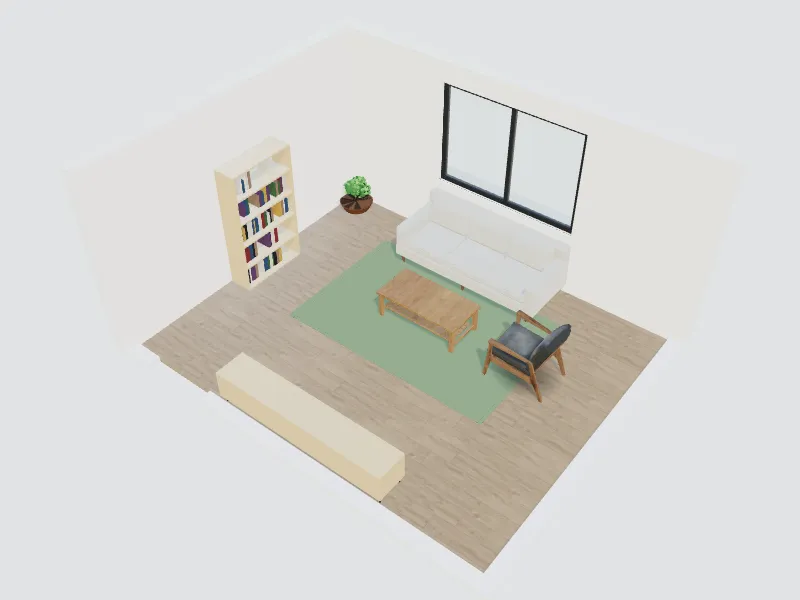
What you can do here
- Test sofa, armchair and coffee table layouts at real size
- Plan a TV or media wall with storage and shelving
- Try rugs, wall colours and flooring side by side
- Restyle a photo of your living room with AI while the walls and windows stay put
Typical sizes and tips
- Leave 40–45 cm (16–18 in) between the sofa and the coffee table, so it is reachable and still easy to pass.
- Keep main walkways about 90 cm (36 in) wide; a minimum of 75 cm (30 in) works for short side paths.
- Choose a rug big enough for at least the front legs of every seat to rest on it; in most rooms that means 200 × 300 cm (6.5 × 10 ft) or larger.
- Seat people within about 2.5–3 m (8–10 ft) of each other so conversation feels natural.
- Layer light: a ceiling light for general use, floor or table lamps for evenings and an accent light on art or shelves.
Common planning guidelines, not building-code requirements. Measure your room and check local rules.
Recommended styles
Scandinavian · Japandi · Mid-century modern · Modern · Boho
Related spaces
Questions about this space
How far should the sofa be from the TV?
A common rule of thumb is 1.5 to 2.5 times the screen diagonal; with 4K screens people often sit closer. For a 55-inch TV that is roughly 2–3.5 m (7–11 ft). Check the viewing distance in 3D before you mount the screen.
Can I design my living room from a photo?
Yes. Upload a photo and choose a style; the AI shows a redesigned room with the same walls and windows. For exact furniture sizes, build the room from your measurements in the planner.
What if my living room is small?
Use a sofa without bulky arms, a round or nesting coffee table and wall-mounted storage, and keep one clear walking line through the room. Light colours and a large mirror make it feel bigger.
AI Interior Design: How to Redesign Any Room from a Photo (Free Guide + Prompts)