
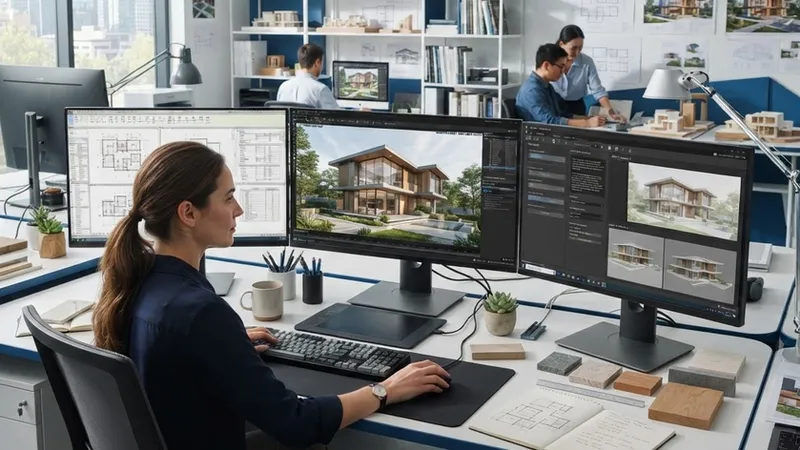
Searching for a free app to design a house usually ends in a dozen tabs: some tools run on a PC, some only in the browser, some on a phone, and the word "free" means something different in each. This guide sorts the best-known options by where they run, shows exactly what you get without paying and what costs money, and ends with six questions that pick the right one for your project. Prices and free-plan limits were checked on each vendor's own site in October 2026; they change often, so confirm before you pay.
What a house design app can (and can't) do
Most home design apps do three things: you draw walls, doors and windows to scale in 2D; the app builds a 3D model from that plan; and you furnish it from a catalogue and look around. The differences are in accuracy (can you type exact wall lengths?), the size of the furniture catalogue, how many projects and floors you get for free, and whether exports carry a watermark or low resolution. None of them produces construction or permit drawings on its own — that remains the work of an architect or engineer.
Free house design software for PC (Windows, Mac, Linux)
Sweet Home 3D is the classic free desktop option. It is open-source (GNU GPL), runs on Windows, macOS and Linux, has mobile versions for iOS and Android and an online version that runs in a WebGL browser, and is available in 29 languages. You draw the plan in 2D and see it in 3D at the same time. The free download has a smaller furniture library; paid versions in the Microsoft Store, Mac App Store and mobile stores include more models and textures.
- Good for: an accurate floor plan and a simple 3D look at the layout, offline, with no account.
- Limits: the 3D images look like a game rather than a photograph; the interface is dated.
- Cost: free (paid store versions add content).
Browser-based planners (no download)
These run in Chrome, Edge or Safari, save your projects in the cloud and are the fastest way to start. All of them are freemium: the free plan is real, but high-resolution images, watermark removal or extra projects cost money.
- Floorplanner — free: up to 5 projects, 3 floors and 3 designs per project, exports as watermarked SD images (960×540). Credit packs start at 5 credits for $8.15; subscriptions add monthly credits.
- Planner 5D — free: unlimited projects on web and mobile with half of the furniture catalogue. Premium: $19.99 a month or $59.99 a year (full catalogue, plan upload to 3D, standard renders). Professional: $49.99 a month or $399.99 a year (4K renders, 360° walkthroughs, CAD export).
- RoomSketcher — free: 2 starting credits, 1 AI floor-plan conversion, 2D and 3D plans and watermarked 3D snapshots, 10-project archive. Pro: $12 a month billed yearly ($144) or $24 month-to-month.
- Homestyler — free Basic plan: cloud 3D floor planner, unlimited 1K renders and more than 100,000 free models and materials. Pro+ from $6.8 a month for 2K/4K renders without a watermark.
Free 3D modelling: SketchUp Free
SketchUp Free is the browser version of SketchUp's 3D modeller. It imports SKP, JPG and PNG, exports SKP, PNG and STL, includes 10 GB of Trimble Connect cloud storage and gives access to the 3D Warehouse model library. It is far more flexible than a room planner — you can model any shape — but it takes longer to learn, and it has no automatic walls-and-rooms workflow. The paid Go plan ($10.75 a month, billed yearly) adds the iPad app.
Apps for phone and tablet
If you want to sketch on the sofa: Planner 5D and Homestyler have iOS and Android apps that sync with the web version; Sweet Home 3D has paid iOS and Android versions; SketchUp runs on iPad with the paid Go plan. A phone screen is fine for checking a layout or showing it to someone; for drawing a whole house to exact measurements, a computer is much faster.
| Tool | Runs on | Free plan | Paid from (Oct 2026) |
|---|---|---|---|
| Sweet Home 3D | Windows, Mac, Linux, browser, iOS, Android | Full program, smaller library | Store versions with more models |
| Floorplanner | Browser | 5 projects, watermarked SD images | 5 credits for $8.15 |
| Planner 5D | Browser, iOS, Android, Windows, Mac | Unlimited projects, half the catalogue | $59.99 a year |
| RoomSketcher | Browser, desktop and tablet apps | 2 credits, watermarked snapshots | $12 a month (yearly) |
| Homestyler | Browser, iOS, Android | Unlimited 1K renders | $6.8 a month |
| SketchUp Free | Browser | 3D modeller, 10 GB cloud | Go: $10.75 a month |
Local tools worth knowing
Some markets have strong local tools. In China, Kujiale (酷家乐) is a cloud design platform with a web version, a desktop client and a designer app, a large floor-plan library and AI rendering; it reports more than 65 million registered users. In Japan, MEGASOFT's 3D My Home Designer PRO10 and PRO10EX are packaged programs for drawing floor plans and presenting interiors, exteriors and gardens in 3D (basement to four floors). If your language matters, check each program's language menu before you invest time in it.
How to choose: six questions
- Which device? PC without internet: Sweet Home 3D. Any computer with a browser: Floorplanner, Planner 5D, RoomSketcher, Homestyler or SketchUp Free. Mostly a phone: Planner 5D or Homestyler.
- Do you need exact measurements? If the plan will go to a builder or architect, choose a tool where you type wall lengths and see dimensions, and check the scale before you share it.
- 2D plan, 3D model or a realistic picture? Planners give 2D plans and simple 3D views. SketchUp gives free-form 3D. A photorealistic image of your real house needs an AI rendering tool.
- What will you export? Check whether the free plan exports without a watermark, at what resolution, and in which formats (image, PDF, CAD).
- How many projects and floors? Free plans limit projects or floors (Floorplanner: 5 projects, 3 floors each). One house fits easily; comparing several options may not.
- What is the real cost? Many tools are free to draw and charge per export or render. Add up what your project needs before you subscribe.
Where AI tools fit
Planners are for the layout: where the walls, doors and furniture go. When you want to see how the finished house will actually look — the facade in your materials, the living room in daylight — an AI rendering tool turns a photo, sketch or plan into a photorealistic image in minutes. ArchHomeAI combines both in the browser: the 2D planner and 3D designer are free to use, and AI renderings, turning an uploaded plan into a 3D model and videos use credits, with 5 free credits when you sign up.
Plan it, then see it Draw your plan for free and turn it into a photorealistic rendering — 5 free credits when you sign up.