Home Office Design Online: Plan an Ergonomic Workspace
A good home office is quiet, well lit and set up for your body. Place the desk against the light, plan storage within reach and keep video calls in mind.
Start designing your home office
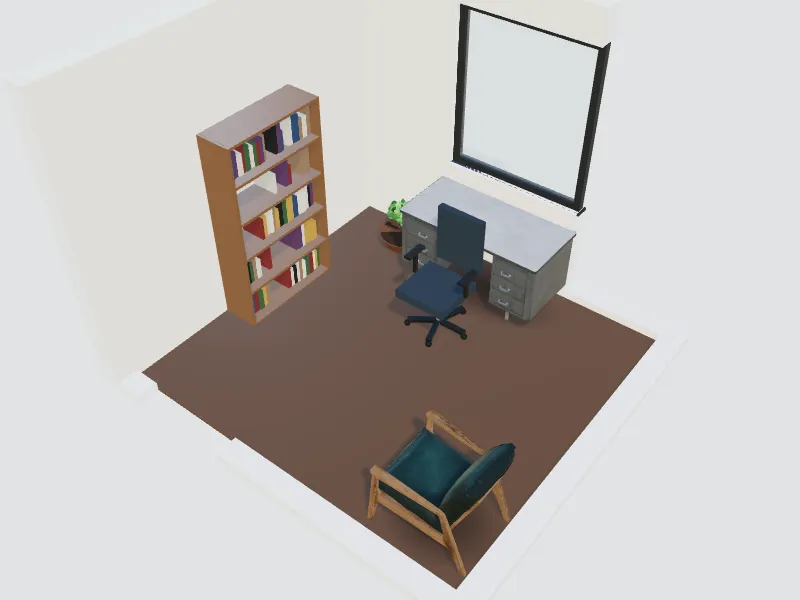
What you can do here
- Plan desk, chair, storage and a reading corner
- Position the desk relative to windows to avoid glare
- Create a clean background for video calls
- Fit an office into a spare room, a corner or a safe room
Typical sizes and tips
- Standard desks are about 72–75 cm (28–30 in) high; aim for at least 60 cm (24 in) of depth, 70–80 cm (28–32 in) with a large monitor.
- OSHA suggests a monitor 50–100 cm (20–40 in) from your eyes, with the top of the screen at or slightly below eye level.
- Place the monitor at a right angle to the window to cut glare and reflections.
- Leave about 90–100 cm (36–40 in) behind the desk to move the chair freely.
- Add a desk lamp to your ceiling light; office lighting standards aim for about 500 lux on the work surface.
Common planning guidelines, not building-code requirements. Measure your room and check local rules.
Recommended styles
Scandinavian · Mid-century modern · Industrial · Japandi · Minimalist
Related spaces
Questions about this space
How big should a home office be?
A desk, chair and a shelf fit in about 2 × 2 m (6.5 × 6.5 ft). A separate room of 6–9 m² (65–100 sq ft) leaves space for storage and a second seat.
Where should the desk go?
Ideally with the window to your side, not behind or in front of the screen. Facing the room or a wall with art also gives a better video-call background.
Can I plan a team office too?
Yes. Use the tech office and meeting room spaces for desks, focus booths and meeting tables at company scale.
Home Office and Tech Office Layout: Desk Sizes, Space per Person and Zones